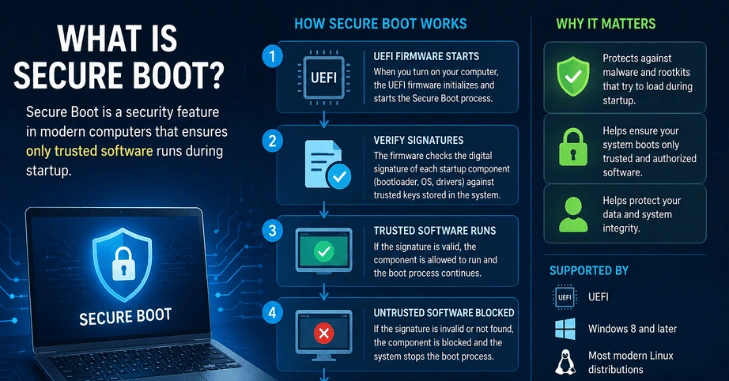
If you’re asking what Secure Boot is, think of it as a security checkpoint that runs before Windows loads. It uses your PC’s UEFI firmware to check whether important startup software is trusted and digitally signed. What is Secure Boot? This can prevent altered or malicious boot software from gaining control of the computer.
Secure Boot is a UEFI security feature that checks digital signatures on boot software before your operating system starts. If the firmware trusts those signatures, startup continues. If it detects untrusted or altered code, the boot process can block it. This helps protect the earliest stage of your PC’s startup.
Secure Boot at a Glance
| Item | Key detail |
| Type | UEFI firmware security feature |
| Main job | Checks trusted digital signatures during startup |
| Protects | The boot process before the operating system fully loads |
| Windows 11 | PCs must support UEFI and Secure Boot. |
| Best default | Keep it enabled on most modern Windows PCs. |
| 2026 change | Older Microsoft certificates are being replaced with newer certificates |
Microsoft defines secure boot as an industry security standard that allows a device to start using only software trusted by the manufacturer. During startup, the firmware verifies signatures for components such as UEFI drivers, EFI applications, and the operating system.
Key Takeaways
- Secure Boot works before Windows fully starts.
- It checks trusted signatures rather than scanning files like antivirus software.
- Most Windows users should leave it enabled.
- Windows 11 requires compatible UEFI firmware with Secure Boot capability.
- Microsoft is updating older boot certificates during 2026.
What Is Secure Boot and What Does It Do?
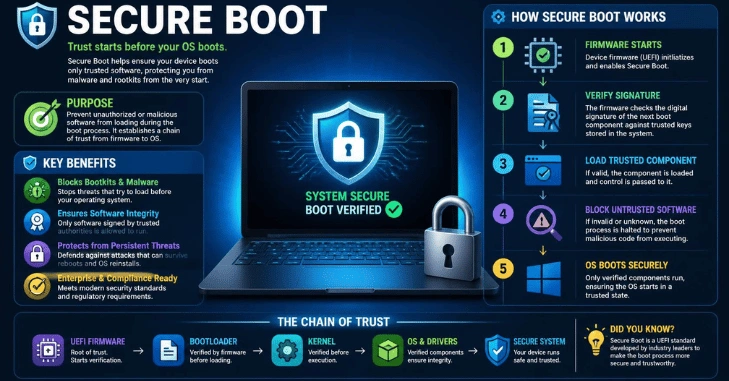
What is Secure Boot? It is part of the UEFI firmware system found on modern computers. UEFI runs before your operating system and controls the early stages of startup. When the computer powers on, its firmware checks important boot components against trusted cryptographic information. Valid signatures tell the firmware that the code came from an approved source and has not been changed unexpectedly.
This matters because some malware attempts to run before normal Windows security tools become active. Protecting the startup chain makes it harder for untrusted boot software to gain control at that early stage. Microsoft describes Secure Boot as a way to prevent malicious software from loading when a Windows PC starts. Secure Boot is not disk encryption or antivirus software. Its role is narrower: protecting the integrity and trust of the boot process.
How the UEFI Trust Check Works
The process can be simplified into four stages:
- Your PC powers on. UEFI firmware begins the startup process before Windows takes control.
- The firmware checks signatures. Boot-related programs are compared with trusted certificates and keys.
- Trusted software continues to load. Properly signed components are allowed to run.
- Untrusted code can be stopped. Software that fails the trust check may be prevented from loading.
Microsoft says this verification process includes firmware drivers, EFI applications, and the operating system itself.
Think of Secure Boot as an identity check for startup software. It does not prove that every program on your computer is safe. Instead, it confirms that approved components in the protected boot chain have valid signatures.
What Does Secure Boot Protect Your Computer From?
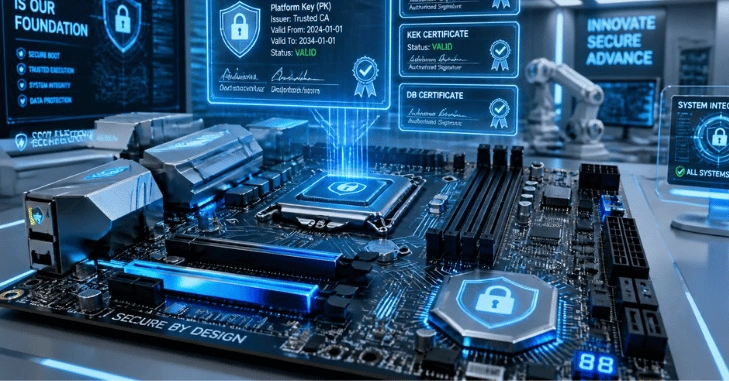
The main benefit of Secure Boot is protection against threats that interfere with the startup process. These threats can be especially difficult to detect because they may run before the operating system’s normal defenses become active.
Secure Boot can help prevent unauthorized or modified boot components from being accepted during startup. Microsoft specifically describes it as protection against malicious software loading while a Windows PC starts.
That does not mean your computer becomes immune to malware. You still need operating-system updates, browser protections, strong account security, and malware defenses.
For more Windows security context, TechRiyon’s guide comparing Windows 11 Home and Pro security features explains the protections available across the two editions.
Does Windows 11 Require Secure Boot?
Windows 11 requires a PC with UEFI firmware that is Secure Boot-capable. That wording matters.
A compatible computer needs the necessary firmware support. Microsoft also recommends enabling Secure Boot for better security. A system may require firmware changes if it is still configured to use an older Legacy or Compatibility Support Module boot mode.
This requirement is separate from TPM 2.0, although both technologies are associated with Windows 11 hardware security.
If you are comparing system requirements before an upgrade, TechRiyon’s guide to choosing the right operating system for a PC covers Windows 11 hardware requirements and other operating system options.
Should You Keep Secure Boot Enabled?
For most people using a modern Windows computer, yes. Leaving Secure Boot active adds an extra security check before the operating system starts. There is usually no reason for a typical Windows user to remove that protection.
You may encounter specialized setups that require a different configuration. Examples include custom boot software or operating-system components that do not have trusted digital signatures.
Before switching Secure Boot off, find out why a program or device requires the change. Permanently disabling a security control to solve a temporary compatibility problem is rarely a good default choice.
How to Check Whether Secure Boot Is Enabled
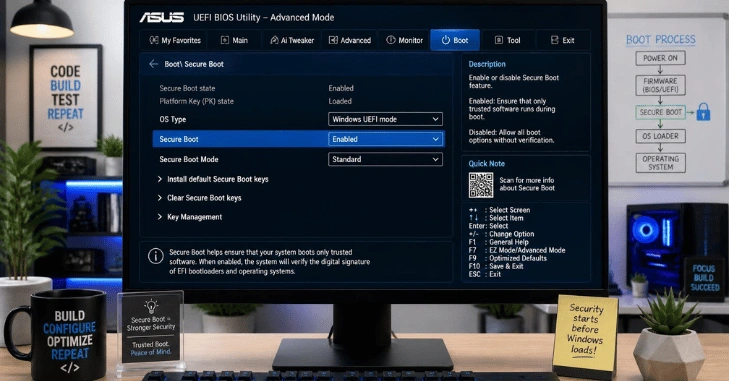
Windows provides a quick way to check the current status:
- Press Windows + R.
- Type msinfo32 and press Enter.
- Find Secure Boot State in the System Information window.
- If the value says On, Secure Boot is active.
Microsoft also allows users to review the setting through Windows Security > Device security on supported systems.
If the setting shows Off, do not change random BIOS or UEFI options. Firmware menus differ by manufacturer, and changing Legacy, CSM, or UEFI settings incorrectly can cause startup problems.
PC owners planning upgrades can also browse TechRiyon’s PC builds and hardware guides for related hardware information.
Can Linux Work With Secure Boot?
Yes. Using Linux does not automatically mean you must turn Secure Boot off. Ubuntu, for example, supports Secure Boot by using signed components in its boot chain. Ubuntu documents a Microsoft-signed shim, a Canonical-signed GRUB bootloader, and signature verification for kernels and kernel modules.
Custom kernels or modules can require additional signing steps. That is one reason advanced Linux users may encounter secure boot settings that ordinary Windows users never need to change. If you are dual-booting, check the requirements for the specific operating systems and bootloader you plan to use before changing any firmware settings.
What Is Changing With Secure Boot Certificates in 2026?
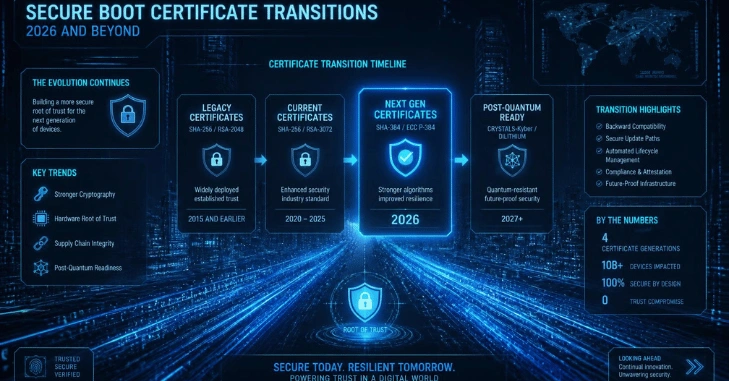
There is an important update happening in 2026, but Secure Boot itself is not expiring. Microsoft certificates originally issued in 2011 began reaching their expiration dates in June 2026. Microsoft is replacing them with newer 2023 certificates and delivering updates to many Windows devices through Windows Update.
Microsoft says devices that have not yet received the newer certificates can continue to boot and receive standard Windows updates. However, those devices may not receive newer early-boot protections that depend on updated certificates.
For most home users, the sensible approach is simple: keep Windows updated and install firmware updates supplied by the PC manufacturer when necessary.
Your Next Step
Check the “What Is Secure Boot” status on your PC using msinfo32. If it is already enabled and your system works normally, there is little reason to change it. If you are preparing for Windows 11, confirm your UEFI configuration, TPM 2.0 support, and other hardware requirements first. Keep Windows and your manufacturer’s firmware updates current, especially while Microsoft rolls out its newer Secure Boot certificates during 2026.
Frequently Asked Questions
Secure Boot is a firmware security check that verifies trusted startup software before the operating system loads. Approved digital signatures allow the boot process to continue, while untrusted code can be rejected.
No. Safe Mode is a Windows troubleshooting mode that loads a limited set of drivers and services. Secure Boot operates earlier, before the normal operating system has fully started.
No. Secure Boot protects a specific part of the startup process. Antivirus software and other Windows security tools protect different stages of computer use.
Yes. Major Linux distributions such as Ubuntu support signed boot chains. Custom kernels and modules may require additional signing or configuration.
Your computer may still start, but the firmware will no longer provide the same trusted-signature enforcement during boot. Disabling it removes one layer of protection against unauthorized startup software.
.