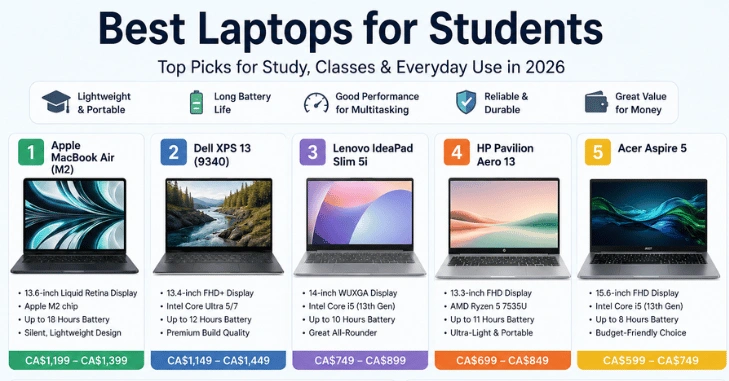
The best laptops for students balance software compatibility, battery life, portability, and enough memory to handle several years of coursework. Price matters too, but the cheapest machine can end up costing more in the long run if it cannot run the software your classes require.
Short answer: The Dell XPS 13 is the strongest all-around choice for students who need Windows, especially at its current student price. The MacBook Neo is the better low-cost Mac. The ASUS Chromebook Plus CX34 suits browser-based coursework, while the MacBook Air M5 and Lenovo LOQ 15 make more sense for creative or GPU-heavy programs.
Quick Comparison
| Rank | Model | Best for | Recommended configuration | Current price reference | Main trade-off |
| 1 | Dell XPS 13 (2026) | Most Windows students | 16GB / 512GB | From $799 for a 16GB student configuration | Few ports |
| 2 | MacBook Neo | Affordable macOS | 8GB / 256GB or 512GB | From $699 retail | Only 8GB of memory |
| 3 | ASUS Chromebook Plus CX34 | Browser-based study | 8GB / 256GB | From $299.99 | Limited desktop app support |
| 4 | HP OmniBook 3 14 | Value-focused Windows users | 16GB / 512GB | Check current HP promotions. | Basic FHD configuration |
| 5 | MacBook Air M5 13 | Creative work and coding | 16GB / 512GB | $1,199 with education pricing | Costs much more than the Neo |
| 6 | Lenovo LOQ 15 | Engineering and gaming | 16GB+, RTX graphics | From $1,299.99 | Heavy for daily carrying |
Prices and offers were checked on August 19, 2026, and can change. Dell currently lists the XPS 13 from $599 for students, with the 16GB/512GB configuration priced at $799. Apple currently lists the MacBook Neo starting at $699, while ASUS advertises the CX34 starting at $299.99.
1. Dell XPS 13 (2026): Best Overall Windows Choice
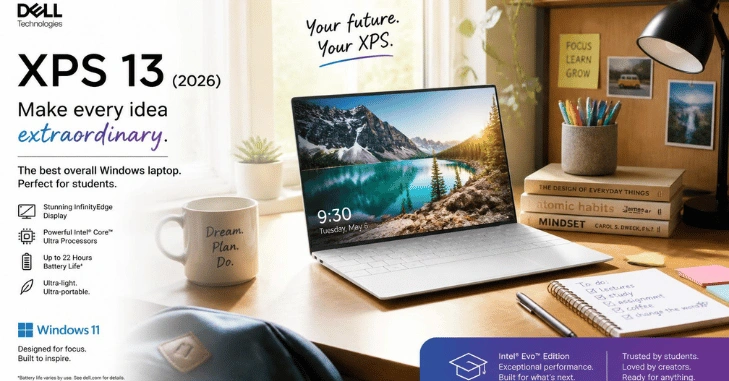
The new XPS 13 makes a strong case for students by combining a lightweight design with unusually competitive education pricing. Dell’s $799 student configuration includes 16GB of LPDDR5X memory, a 512GB SSD, and a 13.4-inch 2.5K touch display. The chassis starts at 2.2 pounds.
Pros: The 16GB model provides enough memory for heavier multitasking, and its compact size makes it easy to carry around campus. Dell also claims up to 17 hours of battery life.
Cons: The cheapest $599 configuration drops to 8GB of memory, so the $799 version is the smarter long-term purchase if your budget allows it.
2. MacBook Neo: Best Affordable Mac
The MacBook Neo remains a compelling option for essays, research, presentations, web-based work, and general college use. It uses Apple’s A18 Pro chip, has a 13-inch display, and is rated by Apple for up to 16 hours of battery life. The current retail price starts at $699.
Best laptops for students: Independent student guides continue to rank the Neo highly, but its base hardware deserves careful consideration. The tested launch configuration has 8GB of unified memory and a 256GB SSD, which makes it better suited to everyday coursework than to demanding professional workloads.
Pros: You get macOS, good portability, strong potential for battery life, and a lower entry price than the MacBook Air.
Cons: The 8GB memory ceiling makes it a poor fit for students who expect to use heavy CAD software, large development environments, or demanding video-editing tools.
3. ASUS Chromebook Plus CX34: Best Budget Option
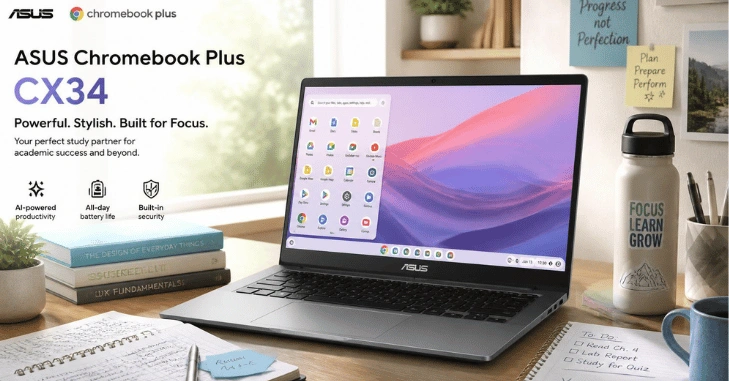
If your coursework mostly takes place in a browser, the Chromebook Plus CX34 can save you hundreds of dollars. ASUS currently advertises it from $299.99, while a common configuration pairs a Core i3 processor with 8GB of RAM and 256GB of storage. Higher-end configurations can include up to 16GB of RAM and 512GB of storage.
The main drawback is ChromeOS compatibility. Google Docs, web research, streaming, email, and cloud-based learning tools work well on the platform. Before buying, confirm that your school does not require Windows- or macOS-only desktop software. Techriyon’s existing PC operating-system comparison can also help readers understand the differences between these platforms.
Pros: It offers a low purchase price, a 14-inch FHD display, and adequate hardware for browser-based study.
Cons: It is not the safest choice for specialized engineering, creative, or professional desktop applications.
4. HP OmniBook 3 14: Best Value Windows Alternative
The OmniBook 3 14 is worth considering if you want mainstream Windows hardware without moving into premium-ultrabook pricing. HP currently offers a configuration with an AMD Ryzen AI 7 processor, 16GB of memory, a 512GB SSD, and Radeon 860M graphics.
That 16GB/512GB combination is the main reason it earns a place on this list. It gives students more room for multitasking than entry-level 8GB systems.
Pros: It offers a sensible combination of memory and storage, along with broad Windows compatibility.
Cons: HP sells several OmniBook 3 configurations, so check the exact model number before purchasing. An 8GB version does not offer the same value as the 16GB model.
5. MacBook Air M5 13: Best for Creative Courses and Coding
Students who expect to handle heavier workloads should consider the MacBook Air M5 instead of the Neo. Apple’s current U.S. education store lists the 13-inch M5 model with 16GB of memory and 512GB of storage for $1,199.
That additional memory and storage give it more room for development tools, larger creative projects, and long-term use. Current MacBook rankings also place the M5 Air above the Neo when performance matters more than achieving the lowest possible purchase price.
Pros: It offers stronger base specifications and more headroom for demanding coursework.
Cons: The price increase is substantial. Students comparing other premium machines can also use Techriyon’s MacBook Pro alternatives guide to explore Windows options.
6. Lenovo LOQ 15: Best for Engineering and Gaming
Engineering students sometimes need a different type of laptop from a thin, lightweight classroom notebook. CAD, 3D rendering, simulation, and GPU-accelerated applications may benefit from dedicated graphics, depending on the software required by the course.
Lenovo’s current LOQ 15 range offers NVIDIA GeForce RTX 50-series graphics, including configurations with up to an RTX 5060. Lenovo currently lists the AMD 15-inch line from $1,299.99.
Pros: Dedicated graphics make this the most suitable option on this list for GPU-heavy work and gaming.
Cons: A gaming-focused 15-inch machine is less convenient to carry every day. Students who need even higher workstation-class performance can continue with Techriyon’s workstation laptop guide.
How We Chose the Best Laptops for Students

The ranking starts with course compatibility, because a cheap computer offers poor value if it cannot run the applications your classes require. We then considered memory, storage, portability, current education pricing, and expected battery life.
For a machine you hope to keep throughout several years of school, 16GB of RAM and 512GB of storage are sensible targets for mainstream Windows and macOS use. Current 2026 buying guidance makes similar recommendations as memory and storage demands continue to increase.
An 8GB machine can still work well for documents, browser tabs, video calls, and basic coursework. The decision changes when your degree involves virtual machines, large datasets, Adobe applications, CAD, local development tools, or 3D work.
What Specifications Should You Buy?
| Student workload | Practical RAM target | Storage target | Graphics |
| Web browsing, documents, and online classes | 8GB | 256GB | Integrated |
| General college work | 16GB | 512GB | Integrated |
| Programming and creative work | 16GB+ | 512GB to 1TB | Integrated or higher-performance graphics |
| CAD, 3D work, and gaming | 16 to 32GB | 512GB to 1TB | Dedicated GPU when required by the software |
Treat this table as a buying shortcut, not as a substitute for your department’s requirements. A nursing, business, or humanities student may be perfectly comfortable with integrated graphics, while an engineering department may specify a particular GPU or operating system.
Which Model Should You Buy?

Our recommendation is the Dell XPS 13 with 16GB of RAM and 512GB of storage for most students who need Windows. Its current $799 student configuration offers a better long-term memory balance than the $599 8GB version while remaining highly portable.
Choose the MacBook Neo instead if your course works well with macOS and your workload is light. Pick the ASUS Chromebook Plus CX34 if price matters most and your classes are primarily browser-based. Creative students should consider the MacBook Air M5, while students in GPU-dependent engineering programs should start with the Lenovo LOQ 15 or a workstation-class model.
Before ordering, check your department’s software requirements and the manufacturer’s education store. That five-minute check can help you avoid an expensive compatibility mistake.
Conclusion
Choosing the best laptops for students in 2026 depends on more than simply buying the most expensive model. The right choice should balance performance, battery life, portability, storage, durability, and budget. A student needs a computer that can comfortably handle daily tasks such as writing assignments, attending online classes, browsing research materials, creating presentations, and running the software required for their course.
Frequently Asked Questions
The Dell XPS 13 is our best all-around Windows recommendation, while the MacBook Neo offers a lower-cost route into macOS. The ASUS Chromebook Plus CX34 is the budget pick, the MacBook Air M5 suits heavier creative work, and the Lenovo LOQ 15 is better suited to coursework that requires dedicated graphics.
It can be enough for browsing, documents, email, streaming, and lighter coursework. For a computer you expect to handle several years of college multitasking, 16GB gives you more room and is the safer target when your budget permits.
Yes, if your classes rely mainly on browser-based tools and do not require specialized Windows or macOS applications. Check your required software before buying. ASUS currently offers Chromebook Plus hardware starting at about $300, which makes the category attractive to students on tight budgets.
The Neo offers better value for lighter everyday study. The M5 Air is the stronger long-term choice for students who need 16GB of memory, more storage, or greater performance. Apple’s current education-store M5 Air configuration starts at $1,199 with 16 GB of memory and 512 GB of storage.
Match your budget to your course requirements rather than buying the most expensive model you can afford. Current options range from roughly $300 for the ASUS Chromebook Plus CX34 to $799 for a 16GB Dell XPS 13 student configuration and $1,199 for an education-priced M5 MacBook Air.