An Ethernet cable carries internet traffic between your router and a device over copper wire, and choosing one takes about two minutes once you know the categories. For nearly every US home in 2026, Cat 6 is the right pick. Only in-wall runs and multi-gig fiber justify the cost of Cat 6a. As for Cat 8, it belongs in a server rack rather than behind your TV.
The short answer
Buy a Cat 6 patch cord for anything you plug in at home. It handles gigabit service across a full 328-foot run and 10-gigabit service across shorter distances, which covers every consumer plan sold today. Step up to Cat 6a only for in-wall wiring or a multi-gig fiber plan. Skip Cat 7 and Cat 8 entirely.
Key takeaways
- Cat 6 is the sensible default. It costs pennies more than Cat 5e and leaves room to grow.
- The category caps speed; your plan sets it. A 500 Mbps plan behaves the same on Cat 5e and on Cat 8.
- Length only bites at 10 gigabit speeds. Ordinary home runs never approach the 328-foot limit.
- Shielding is for noisy buildings. Unshielded copper performs the same in a house or apartment.
- Copper-clad aluminum is the trap. Cheap listings hide it, and it fails when a device draws power over the line.
What a network cable actually does
Inside the jacket sit four twisted pairs of copper. Twisting cancels the electrical noise that neighboring pairs create, which is why the twist rate tightens as categories climb. All eight wires terminate in an RJ45 plug, the clear connector with the small locking tab.
Data moves both directions at once. Your download does not slow your upload the way it can on a shared radio channel, and nothing competes for the wire except the two devices on either end.
That is the whole argument for copper.
Ethernet cable types compared
Five categories are worth knowing. Everything else is either retired or sold to people who will never use it.
| Category | Top speed | Bandwidth | Longest useful run | Best for | Street price per foot |
|---|---|---|---|---|---|
| Cat 5e | 1 Gbps | 100 MHz | 328 feet | Older gear, plans under 1 Gbps | $0.15 to $0.25 |
| Cat 6 | 1 Gbps, or 10 Gbps on short runs | 250 MHz | 328 feet, 180 feet at 10 Gbps | Almost every home | $0.20 to $0.35 |
| Cat 6a | 10 Gbps | 500 MHz | 328 feet | In-wall wiring, multi-gig fiber | $0.35 to $0.60 |
| Cat 7 | 10 Gbps | 600 MHz | 328 feet | Rarely the right buy in the US | $0.40 to $0.70 |
| Cat 8 | 40 Gbps | 2,000 MHz | 98 feet | Switch to switch links in a rack | $0.70 to $1.50 |
One row deserves its own warning. TIA never ratified Cat 7 as a North American structured cabling standard, so it sits outside the system your electrician, your wall jacks, and your patch panels are built around. Cat 6a matches its real-world speed, costs less, and is recognized here. Buy that instead.
Prices are the other thing page one skips. Current street prices in mid 2026 ran from roughly $0.15 per foot for bulk Cat 5e. A finished Cat 8 cord can pass $1.00 per foot. A 25-foot Cat 6 patch cable from a known brand usually lands between $8 and $14, so a $30 listing is markup rather than quality. Knowing the fair price is what lets readers spot a padded listing before they buy.
Match the category to your internet plan
Start with the number on your bill. A 300 Mbps or 500 Mbps plan uses less than half of what Cat 5e can carry, so anything on the shelf today has headroom. Gigabit service sits right at the Cat 5e ceiling, and that is where Cat 6 stops being an upgrade and starts being insurance.
Multi-gig fiber changes the math. If you pay for 2 Gbps or more, wire the run between your router and your main desk with Cat 6a. Check the machine first, because a 2.5 gigabit port is still uncommon on consumer hardware. Our roundup of workstation laptops with a built in network port shows how quickly thin models dropped the jack.
Does a wired connection help gaming?
Yes, though the reason is consistency rather than raw speed. Wi-Fi delivers a good average with occasional spikes, and one 80-millisecond spike during a firefight reads as lag. Copper holds a flat ping because nothing else shares the channel.
Consoles gain the most, since they sit in one spot and rarely move. Handheld models are the awkward case: some docks include a LAN port, while others require you to buy a USB adapter for about $15. Our breakdown of the Switch and Switch Lite differences covers which one is sitting under your TV.
How long can an Ethernet cable be?
Structured cabling standards set 328 feet as the maximum permanent link for Cat 5e, Cat 6, and Cat 6a. Few houses need half of that. Even with slack, a run from a basement router up to a second-floor office rarely passes 100 feet.
Two exceptions matter when you measure the room. The first is Cat 6, which only supports 10-gigabit speeds over roughly 180 feet before falling back to gigabit speeds. The second is Cat 8, capped at about 98 feet by design, because it was designed for short hops between switches in a rack.
Shielded, unshielded, solid or stranded
Shielding wraps foil or braid around the pairs to block outside interference. It earns its cost near fluorescent ballasts, elevator motors, or long runs parallel to electrical wiring.
In a normal home, unshielded cable performs the same and bends more easily.
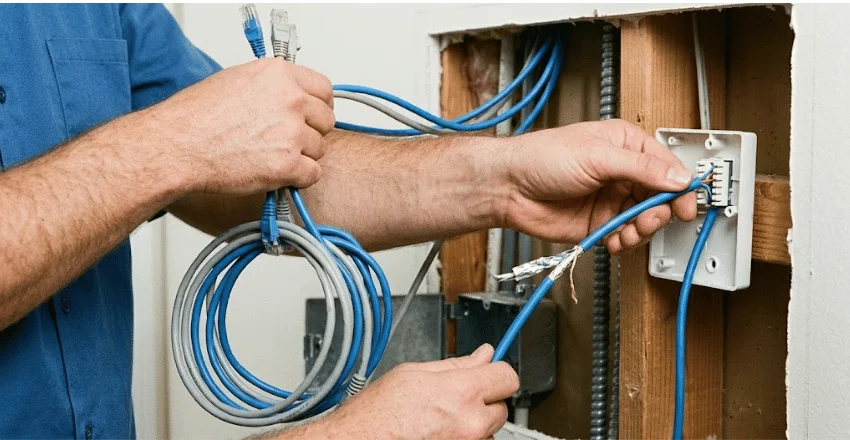
Solid-conductor cable belongs inside walls and punchdown jacks, where it is terminated once and never moves again. Stranded conductor cable flexes without cracking, which is why every patch cord on a store shelf uses it. Running solid wire across a floor is how people end up with a link that dies after a few months of being kicked.
What really limits your speed
Cable category is rarely the bottleneck. Four other things usually are.
- The router port. Plenty of gateways still ship gigabit ports, so a multi-gig plan stops there.
- The device network adapter. Most laptops and desktops top out at 1 Gbps no matter what you plug in.
- The in-wall jack. A house wired in 2008 may have Cat 5e wiring behind the plate, while your patch cord is Cat 6a.
- The service itself. A 400 Mbps plan will never fill a gigabit link.
Televisions are the device people forget. Streaming apps buffer far more reliably on copper than on a crowded 2.4 GHz band, and the port is already on the back of the set. If you are still shopping for a screen, our guide to OLED and QLED panel differences is a good starting point.
Buying traps and how to read what you own
Two problems account for most bad purchases. The first is copper-clad aluminum, sold as pure copper at half the price. It moves data over short distances and then fails when a device draws power over the line, and the listing rarely admits it. Look for the words pure bare copper on the packaging.
Next comes the flat cable marketed for running under carpet. Flat designs give up some of the twisting that makes the pairs work, so they trail round cable over distance. At 6 feet, nobody notices. At 60 feet, it becomes your problem.
To identify what you already own, read the print along the jacket. Manufacturers stamp the category there, usually beside the wire gauge and a length marker. If it reads CAT5E and you pay for gigabit service, swap it before blaming the router.
Your computer also reports the speed it negotiated. Open the network adapter details and look for 1.0 Gbps, not 100 Mbps. Where that screen lives depends on your platform, which our guide to picking the best operating system for a PC gets into.
What to do next
Measure the run, add a few feet of slack, then buy a Cat 6 cord of that exact length from a brand that prints “pure bare copper” on the jacket. One correctly sized cord beats a coiled 50-footer stuffed behind the desk. Plug in the things that never move: the desktop, the console, the TV, and leave phones and tablets on Wi-Fi. Run a speed test before and after so you can see what the change actually bought you.
Frequently asked questions
It flattens the variation in ping more than it lowers the average. Wired links avoid the retransmissions and channel contention that make wireless latency jump, so your ping holds steady instead of spiking mid-match.
No. It was designed for short links inside data centers, and no consumer router or laptop can negotiate 40 Gbps. You pay roughly three times as much for headroom that nothing in the house can reach.
Yes. Every category uses the same RJ45 connector, and all of them are backward compatible. Your link then runs at whatever the weakest piece supports, which in that case is the jack.
Not within the limits above. Both a 50-foot run and a 6-foot run negotiate the same speed.
Watch for a link that keeps dropping, a port light that flickers off, or a connection that negotiates at 100 Mbps when it used to reach 1 Gbps. Swapping in a known good cord settles the question in under a minute.