You don’t need a $200 studio mic to make your voice sound cleaner on streams, calls, podcasts, or videos. Among the best budget microphones, several current models deliver useful controls and clear voice capture for $100 or less.
Short answer: Logitech’s Yeti Orb is our best all-around pick for most beginners. It combines simple USB-C setup with 24-bit/48 kHz recording and strong voice quality for around $70. Choose the FIFINE AM8 instead if your room is noisy or you want USB connectivity now with an XLR upgrade path later.
The Best Affordable Mics at a Glance
| Microphone | Current price* | Type | Connection | Best for | Main trade-off |
|---|---|---|---|---|---|
| Logitech Yeti Orb | $69.99 | Condenser | USB-C | Best overall | Few physical controls |
| FIFINE AmpliGame AM8 | $57.99 | Dynamic | USB + XLR | Noisy rooms and podcasting | XLR setup requires extra gear |
| HyperX SoloCast 2 | $59.99 | Condenser | USB-C | Gaming and streaming | Low stand can transmit desk noise |
| Amazon Basics USB Condenser | About $30 | Condenser | USB | Lowest-cost setup | No companion software |
| Logitech Yeti Nano | $99.99 | Condenser | USB | Solo and group recording | Near the top of this budget range |
*Prices were checked against current U.S. listings and manufacturer pages in August 2026. Retail prices can change.
How We Chose the Best Budget Microphones Under $100
A low price alone doesn’t make a microphone good value. We prioritized models that are easy to set up, suited to common creator workflows, and supported by current specifications or independent reviews.
We also considered one detail buyers often overlook: your room matters as much as the microphone. Current microphone-buying guidance generally favors dynamic models in noisy, untreated rooms. Condenser microphones are better suited to quieter spaces where extra sensitivity is useful.
That distinction can save you from buying a highly sensitive mic only to hear every keyboard tap, cooling fan, and room reflection in your recording.
The 5 Picks Ranked
1. Logitech Yeti Orb: Best Overall for Most Beginners
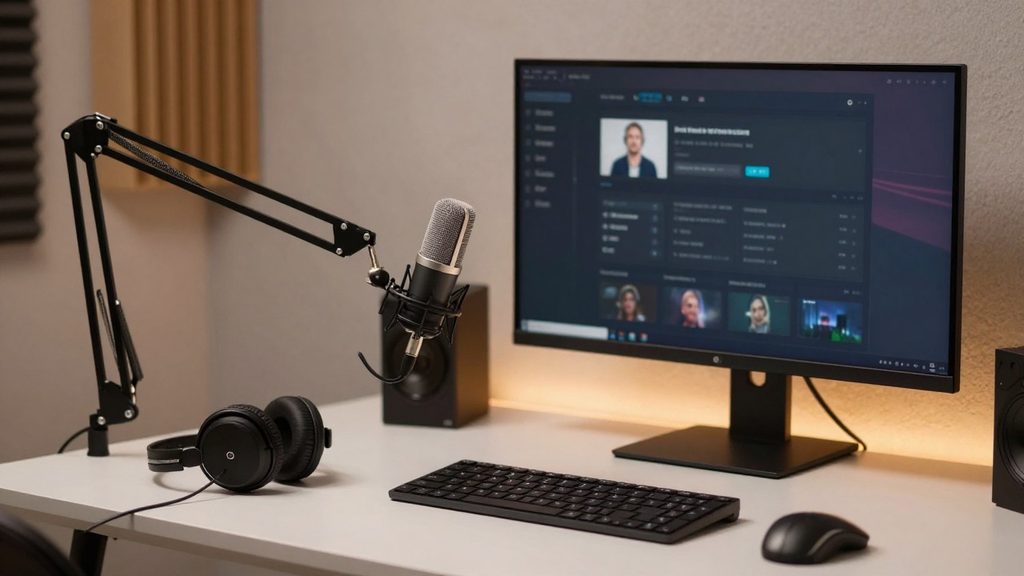
The Yeti Orb keeps setup simple. It is a cardioid condenser mic with USB-C connectivity, 24-bit audio, and a 48 kHz sample rate. Logitech also supports Blue VO!processing through its software.
Tom’s Hardware currently ranks it as its best budget gaming microphone and praises its sound quality for the price. The main weakness is its limited physical controls: there’s no built-in gain dial or headphone monitoring.
Pros
- Easy USB-C setup
- Clean voice quality for the price
- Compact, desk-friendly design
Cons
- No on-mic gain control
- No headphone monitoring
- Works best when placed fairly close to your mouth
Verdict: Choose the Yeti Orb if you want a simple first microphone for gaming, calls, voiceovers, or streaming.
2. FIFINE AmpliGame AM8: Best for Noisy Rooms
The AM8 is the most flexible option on this list. Its dynamic capsule is less likely to capture distant room noise, while its USB and XLR connections give you two ways to use it. FIFINE lists the mic at $57.99.
In USB mode, you get gain adjustment, headphone volume control, live monitoring, and tap-to-mute functionality. If you later buy an audio interface, you can switch to XLR instead of replacing the microphone.
Pros
- Dynamic design suits untreated spaces
- USB and XLR connectivity
- Useful physical controls
- Direct headphone monitoring
Cons
- XLR cable is not included with the basic package
- XLR use requires an interface or mixer
FIFINE recommends speaking roughly two to six inches from the mic. That close placement is useful when you want your voice to stand out from background noise.
3. HyperX SoloCast 2: Best for Gaming and Streaming
HyperX’s SoloCast 2 is a straightforward USB-C condenser mic with cardioid pickup, tap-to-mute functionality, and recording support up to 24-bit/96 kHz. HyperX also added a built-in shock mount and pop filter to the current model.
Its main drawback is the included low-profile stand. Independent testing found that desk movement can reach the microphone, so a boom arm may be worthwhile if you type heavily while streaming.
If mechanical noise is already a problem in your setup, TechRiyon’s guide to diagnosing a loud computer fan can help you reduce the noise before trying to remove it in software.
4. Amazon Basics USB Condenser: Best Under About $35
PC Gamer currently recommends the Amazon Basics USB Condenser as its budget gaming pick, noting a price of around $30. It offers cardioid pickup, 48 kHz/16-bit recording, tap-to-mute functionality, and a built-in shock absorber.
You give up extras such as companion software and extensive hardware controls. Still, the low price makes it a practical step up from a laptop mic or an inexpensive headset microphone.
Pros
- One of the cheapest credible USB options
- Tap-to-mute functionality
- Built-in shock isolation
Cons
- No dedicated software suite
- Basic stand and short cable
- Fewer upgrade options
5. Logitech Yeti Nano: Best for Flexible Pickup Patterns
The Yeti Nano costs more than the other picks, but its two pickup patterns make it stand out. Cardioid mode works well for one speaker, while omnidirectional mode can capture multiple people around the microphone. Logitech currently lists it at $99.99 in the U.S.
That makes it useful for occasional interviews or small roundtable conversations without requiring multiple microphones.
If you’re building a cleaner desk setup around your mic, TechRiyon’s wireless keyboard and mouse guide can also help reduce cable clutter around your recording area.
Which Microphone Type Fits Your Room?
Here is the quickest decision rule.
Choose a dynamic mic if you record near loud PC fans, keyboards, bare walls, traffic, or other people. You normally speak closer to a dynamic mic, which helps your voice stand out from the surrounding room noise.
Choose a condenser mic if your room is reasonably quiet and you want a more sensitive, plug-and-play desktop microphone. Current buying guides make the same broad distinction between untreated and controlled recording spaces.
For this list, that makes the FIFINE AM8 the safer choice for noisy rooms. The Yeti Orb and SoloCast 2 make more sense in quieter spaces.
USB vs. XLR: Do Beginners Need an Audio Interface?
For most beginners, USB is the better starting point. You connect the microphone directly to your computer and let the mic handle the digital conversion. Streaming-focused guidance also notes that a good USB microphone is enough for most users.
XLR becomes useful when you want a separate audio interface, more routing control, or a setup that you can expand with other studio equipment.
That is why the FIFINE AM8 stands out for long-term value. You can start with USB and move to XLR later.
Don’t Forget the Cost of Accessories
A $50 mic can become a $120 setup once you add accessories.
Before buying, check whether you need:
- A boom arm to position the mic closer to your mouth
- A pop filter to reduce plosive sounds
- Headphones for direct monitoring
- An XLR cable
- An audio interface for XLR use
A boom arm can be especially useful with low desk stands because it helps isolate the mic from typing noise and desk bumps.
Our Recommendation
For most first-time buyers, the Logitech Yeti Orb is the safest all-around choice. It keeps setup simple and delivers solid voice capture without pushing the price into premium territory.
Choose the FIFINE AM8 instead if background noise is your biggest problem. Pick the SoloCast 2 if gaming features and tap-to-mute functionality matter more. If every dollar counts, the Amazon Basics model gives you the cheapest practical entry point.
Before ordering, decide where the microphone will sit and how noisy that spot is. That one decision will often matter more than chasing the highest specification on the box. For more affordable setup ideas and hardware guides, browse TechRiyon’s Gadgets and Apps coverage.
FAQs
The Logitech Yeti Orb is our best general pick because it combines straightforward USB-C setup, good voice quality, and a current price of around $70. The FIFINE AM8 is the stronger choice for noisy rooms or buyers who want an eventual XLR setup.
Yes. A good USB mic is enough for most streamers and gamers. You avoid the cost and complexity of a separate audio interface while still getting much better voice capture than most laptop microphones.
Neither type is better in every situation. Dynamic mics are often easier to manage in noisy or untreated spaces. Condenser mics can capture more detail when the room is quiet.
You can get a useful USB mic for about $30, while spending roughly $55 to $70 gives you access to stronger features and more refined options. Models near $100 can add flexible pickup patterns or other useful features. Current products in this comparison range from about $30 to $99.99.