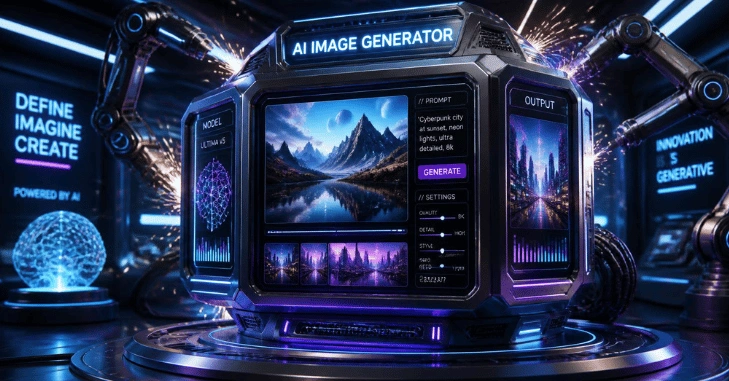
An AI image is a visual created or modified by a generative model using instructions such as text prompts or reference images. You describe the subject, setting, style, lighting, and format. The system returns one or more visuals that you can refine, edit, resize, or regenerate before you publish. Text-to-image systems learn relationships between language and visual patterns, while newer tools can also edit existing pictures.
You don’t need advanced design skills to start. The harder part is knowing what to ask for, choosing the right tool, checking the result, and understanding how you may use it.
| Key point | What it means |
| Main input | A text prompt, reference picture, or both |
| Common output | Photos, illustrations, graphics, concepts, and edited visuals |
| Useful controls | Subject, composition, lighting, style, aspect ratio, and text |
| Typical workflow | Generate, compare, edit, verify, and export. |
| Main caution | Check accuracy, platform terms, intellectual property, and misleading content. |
| Good starting point | Use a simple prompt, then refine one detail at a time. |
How AI Image Generation Works
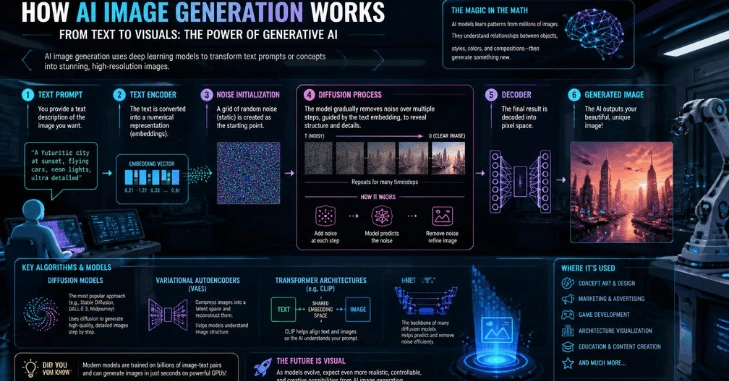
Most modern text-to-image systems use machine-learning models that connect words with visual features. Diffusion-based methods have become one of the major approaches to producing images from text descriptions. AI image models begin with noise and progressively form an output that better matches the prompt.
You don’t need to understand the mathematics to use these systems well. Your main job is to give the model enough useful direction.
A generator may accept:
- A plain-language description
- An uploaded reference picture
- Instructions to add or remove an object
- A requested visual style
- An aspect ratio or composition
- Text that should appear inside the design
Current tools also support iterative editing. For example, OpenAI documents the generation of original visuals from plain-language prompts and their refinement through follow-up instructions.
What You Need Before You Generate Anything
Start with the purpose of the visual. A blog header needs different instructions from a product concept, social graphic, wallpaper, or presentation illustration.
Write down five details before opening a tool:
- Subject: What must appear?
- Setting: Where is the subject?
- Composition: Close-up, overhead, wide shot, centered, or another view?
- Visual treatment: Photograph, flat illustration, watercolor, diagram, or another format?
- Output needs: Square, vertical, horizontal, text-free, or space for a headline?
Clear prompts reduce unnecessary trial and error. OpenAI and Meta both recommend giving image systems specific visual instructions rather than relying on vague requests.
Create a Useful Visual in Six Steps
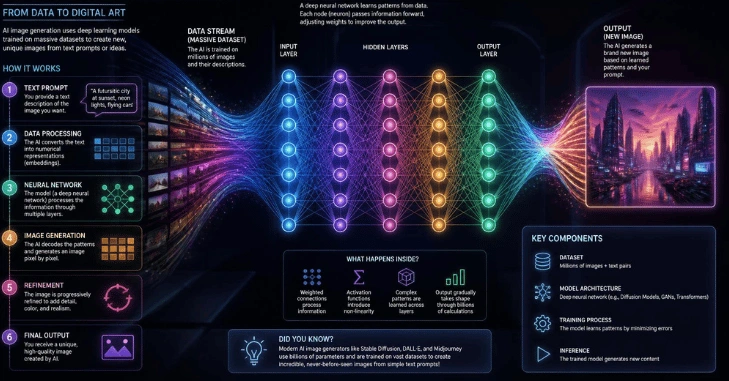
- Define the final use. Decide whether the picture is for a blog, a social post, a concept, an advertisement, a presentation, or a personal project.
- Choose a suitable tool. Look at editing controls, free limits, output quality, privacy, and permitted uses.
- Write a structured prompt. State the subject first. Then add setting, composition, lighting, visual treatment, and important restrictions.
- Generate several versions. Compare the composition and accuracy rather than accepting the first result.
- Edit the strongest version—correct objects, framing, text, colors, and other details that matter.
- Review before publishing. Check visual errors, brand elements, factual claims, usage terms, and anything that could mislead viewers.
TechRiyon already maintains a broader How-to section for readers looking for practical technology instructions.
Which Image-Generation Tools Should You Compare?
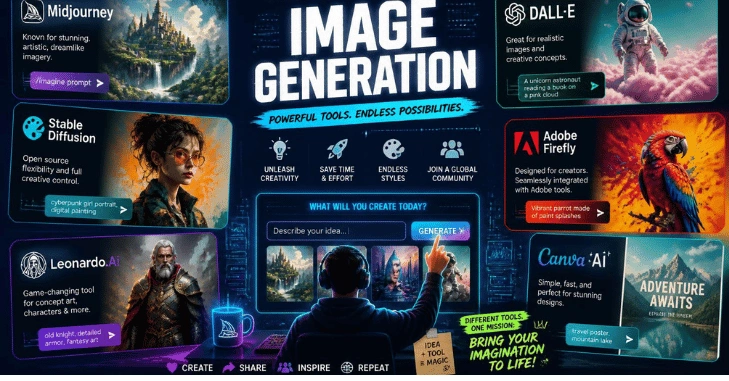
The right choice depends on what you’re making. A conversational system can suit repeated revisions, while a design platform may work better when the visual must fit an existing layout.
| Tool | Useful capabilities | Cost or access signal | Suitable for |
| ChatGPT Images | Generation plus conversational editing | Access and usage limits depend on the current service offering. | Iterative creation and editing |
| Canva | Text prompts, style choices, aspect ratios, design workflow | Free generator access is advertised | Social and design assets |
| Adobe Firefly | Text-to-image, reference-based changes, editing controls | Free daily generations are available with an Adobe account. | Creative editing workflows |
| ImagineArt | Text-to-image and image-to-image creation | Advertised as a free online tool | Quick experimentation |
| Krea | Text or reference input, variations, multiple models | Check current plan limits before heavy use. | Comparing creative directions |
Current provider pages confirm that Canva offers free text-to-image creation, while Adobe provides free daily image generation for account holders. ImagineArt advertises both text and reference-based generation. OpenAI’s current Images experience supports creation and editing, while Krea offers text and reference workflows.
Pricing and usage limits can change, so check the provider’s current plan page before building a recurring business workflow around any one service.
Write Prompts That Give the Model More Direction
A useful prompt doesn’t need to be long. It needs to be specific.
Try this structure:
Subject + action + setting + composition + lighting + visual treatment + important constraints
A weak prompt might say:
Create a futuristic office.
A more useful version would say:
Bright technology office with three people collaborating around a transparent display, eye-level composition, soft morning window light, realistic photography, neutral colors, clean background, horizontal format, and no visible brand logos.
The second version reduces ambiguity. You’ve told the system what matters without filling the prompt with decorative language.
For another variation, change one variable at a time. Keep the subject and composition, then change the lighting. Next, test another camera angle. That makes it easier to identify which instruction caused the improvement.
Edit and Check the Result Before Publishing
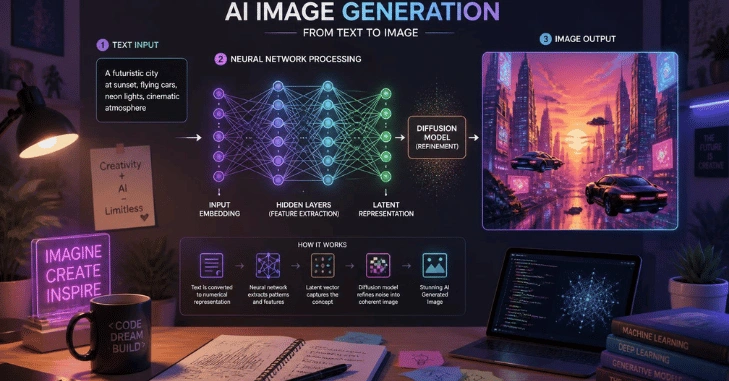
Generated visuals can look finished while still containing small errors. Review them at full size.
Check:
- Hands, faces, reflections, and repeated objects
- Words, labels, and numbers inside the picture
- Logos or recognizable brand elements
- Background objects that don’t make physical sense
- Product details that must match a real item
- People who could be mistaken for real individuals or events
- Cropping at the final website or social media dimensions
When a synthetic visual could reasonably be interpreted as documentary evidence, clear context or disclosure is a sensible choice for publication.
You can also repurpose a finished graphic for personal browser customization. TechRiyon’s guide to changing a Google background explains where custom pictures can fit into that workflow.
Commercial Use and Copyright Need Separate Checks
Being allowed to use generated output and owning copyright in that output are not always the same legal question.
In the United States, the Copyright Office says generative material can receive copyright protection when a human author contributes sufficient protectable expression. Merely supplying prompts does not, by itself, establish the required human authorship. Human selection, arrangement, or creative modification may affect the analysis.
You should therefore check two things before commercial publication:
- The provider’s current terms: Do they permit your planned use?
- The content itself: Does it introduce copyright, trademark, likeness, or other third-party concerns?
For example, OpenAI’s current terms state that, between the user and OpenAI and to the extent permitted by law, users own their output. The terms also warn that outputs may not be unique.
For a high-value commercial campaign, product package, or other legally sensitive project, get qualified legal advice rather than treating a generator’s marketing page as a legal opinion.
Where Generated Visuals Fit on TechRiyon
Synthetic graphics can support technology publishing by adding information rather than decorating a page.
For broader coverage of artificial intelligence and automation, readers can explore TechRiyon’s AI Tech section.
Businesses exploring generative technology may also find the site’s article on AI SEO tools and small-business growth useful. It covers another practical application of machine learning in digital work.
For practical tutorials, the How-to section provides a natural next destination.
Get Started With Your First Visual
Start free with one tool that matches your use case. Write one structured prompt, generate three variations, and choose the strongest composition. Then correct its weak points rather than repeatedly starting over.
Before publishing, zoom in, check any embedded text, confirm that factual details are accurate, and review the provider’s current usage terms. That simple workflow gives you more control than relying on a single vague prompt and accepting whatever appears first.
Conclusion
AI images have made it easier than ever to create professional-looking visuals without advanced design skills, but getting a strong result requires more than entering a short prompt. The best approach is to define the purpose of the image, describe the subject and composition clearly, choose a suitable tool, generate several versions, and refine the strongest result.
A good AI image should also be checked carefully before publication. Look for mistakes in faces, hands, text, products, logos, backgrounds, and other important details. If the visual could be mistaken for a real photograph or event, provide appropriate context so readers are not misled.
Frequently Asked Questions
A picture is AI-generated when a generative model produces or materially transforms visual content from instructions such as text, references, or editing commands. The amount of human editing can vary widely.
No. Many current systems accept normal written instructions. Design knowledge can still help you control composition, color, hierarchy, typography, and consistency.
Possibly, but you must check the specific provider’s current terms and the legal issues surrounding the content. Commercial permission from a platform does not automatically guarantee copyright protection or eliminate third-party rights concerns.
They can be. Canva and Adobe currently offer free entry options, though their generation limits and features differ. A free tier is useful for learning prompt structure before paying for higher usage.
Specify the subject, composition, lighting, viewpoint, visual treatment, and output dimensions. Then revise individual elements instead of changing the entire prompt at once.
Not when a real photograph is needed as evidence of an actual person, place, product, or event. Synthetic visuals are better treated as created media, concepts, illustrations, or clearly contextualized representations.