Introduction
With improved security, a new UI, and potent productivity capabilities, Windows 11 is Microsoft’s most sophisticated and sophisticated operating system. It is made to accommodate a broad spectrum of customers, including small businesses, IT experts, and regular home users. However, one common question remains: What is the Difference Between Windows 11 Home and Pro?
While both editions share a common foundation, such as the new Start Menu, Snap Layouts for multitasking, and integration with Microsoft Teams, they differ significantly in key areas like security, device management, and virtualization. This article explores these in-depth differences—including features like BitLocker encryption, Remote Desktop, Azure Active Directory, and price comparisons—to help you decide which version best suits your personal or professional needs.
Overview of Windows 11
Microsoft built Windows 11 to be fast, secure, and modern. Both Home and Pro versions offer the same base features, like
- A redesigned Start Menu and taskbar
- Snap Layouts for more effortless multitasking
- Widgets for real-time updates
- Direct integration with Microsoft Teams
However, to answer the question, “What is the Difference Between Windows 11 Home and Pro?” we need to look at their specific features, audiences, and purposes.

What is the Difference Between Windows 11 Home and Pro?
What is the Difference Between Windows 11 Home and Pro? The main differences lie in advanced security, business tools, and control features. Here’s a quick comparison to help you understand better:
| Feature | Windows 11 Home | Windows 11 Pro |
| BitLocker Encryption | No | Yes |
| Remote Desktop | No | Yes |
| Hyper-V Virtualization | No | Yes |
| Join Microsoft Azure AD | No | Yes |
| Group Policy Editor | No | Yes |
| Max RAM Supported | 128 GB | 2 TB |
Target Users: Who Needs Which Version?
If you’re asking yourself, “What is the Difference Between Windows 11 Home and Pro?” you should first understand the target users of each version.
Windows 11 Home is best for
- Personal users
- Students
- Gamers
- Users with general productivity needs
Windows 11 Pro is better for
- Small business owners
- IT administrators
- Remote workers
- Professionals managing multiple devices
- Your work style and device need to determine which version fits you best.
Security Features
Security is one of the most critical parts of choosing an operating system. So, What is the Difference Between Windows 11 Home and Pro? In security, the Pro version leads.
Home Edition
- It comes with basic security features
- Includes Windows Hello, Defender, and Firewall
- No BitLocker or WIP

Pro Edition
- BitLocker Drive Encryption
- Windows Information Protection (WIP)
- Remote Desktop with Secure Access
- Group Policy settings for tighter control
- The Pro edition gives you the right tools if your work involves sensitive data.
Business and Productivity Tools
A significant difference when comparing Windows 11 Home vs Pro is the inclusion of business tools in the Pro version. These features are essential for companies managing multiple users and devices.
Pro-Only Features
- Azure Active Directory support
- Assigned Access for user control
- Group Policy Management
- Enterprise-grade device management
The Home version doesn’t include these, making it less suitable for office environments.
Virtualization and Remote Access
Many professionals need to access their PC remotely or run multiple operating systems. So, What is the Difference Between Windows 11 Home and Pro? In this case, it’s virtualization and remote access tools.
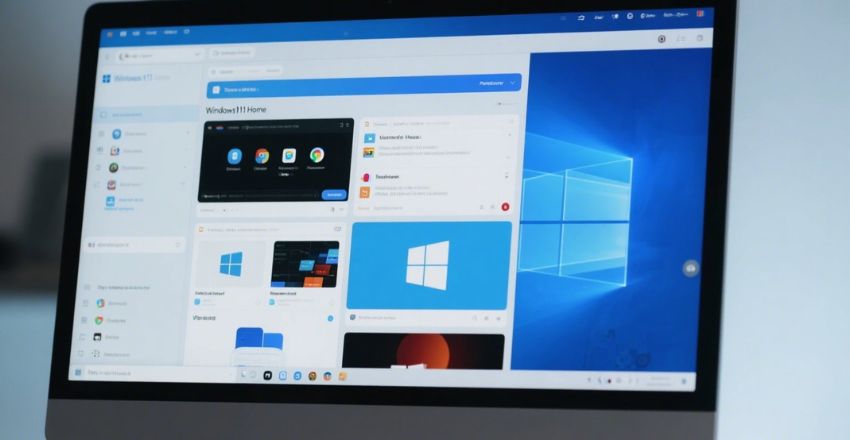
Windows 11 Home
- No Remote Desktop access
- No Hyper-V virtualization support
Windows 11 Pro
- Includes full Remote Desktop support
- Built-in Hyper-V for virtual machines
- Supports Windows Sandbox for safe testing
- These features make Pro ideal for IT users and developers.
Update and Device Management
Windows 11 Pro features offer more flexibility and control when managing system updates and multiple devices.
Advantages of Windows 11 Pro
- Supports Windows Update for Business
- Can delay updates to avoid disruption
- Mobile Device Management (MDM)
- Group Policy support for device rules
In contrast, Windows 11 Home’s limitations include forced updates and a lack of enterprise-grade management.
| Feature/Benefit | Windows 11 Home | Windows 11 Pro |
| Easy to use for everyday users | Yes | Yes |
| Lower cost | Yes | No |
| Gaming performance | Yes | Yes |
| BitLocker encryption | No | Yes |
| Remote Desktop access | No | Yes |
| Hyper-V virtualization | No | Yes |
| Join Azure Active Directory | No | Yes |
| Group Policy management | No | Yes |
| Mobile Device Management (MDM) | No | Yes |
| Update control with Windows Update for Business | No | Yes |
Price Comparison
- Windows 11 Home: Around USD 139
- Windows 11 Pro: Around USD 199
That’s a $60 difference. For those who don’t need business tools or enhanced security, the Home version is more cost-effective.

Pros and Cons of Each Edition
Understanding the pros and cons can help you decide better.
Windows 11 Home
Pros
- Lower cost
- User-friendly for beginners
- Great for general use
Cons
- No remote desktop
- Lacks enterprise tools
- No BitLocker encryption

Windows 11 Pro
Pros
- Advanced security features
- Remote Access and virtualization
- Device and update management
Cons
- Higher price
- Extra features may be unnecessary for casual users
- Still wondering, “What is the Difference Between Windows 11 Home and Pro?” It depends on which of these pros and cons matter most to you.

Conclusion
So, What is the Difference Between Windows 11 Home and Pro? The key differences are security, remote Access, and business management tools. Windows 11 Home is perfect for everyday users, students, and gamers who need essential features at a lower cost. In contrast, Windows 11 Pro is designed for professionals and small businesses that require advanced tools like BitLocker, Remote Desktop, and group policies. Choose the edition that aligns best with your usage, needs, and future growth.
Apart from that, if you are interested to know about “Nokia G310 5G: A Durable and Affordable Budget Smartphone with 5G Connectivity” then visit our “Gadgets and Apps” category.
FAQs
Windows 11 Home does not allow you to host a Remote Desktop connection. Only the Pro version supports this functionality, which is helpful for remote workers and IT support.
Windows 11 Home supports up to 128 GB of RAM, while Windows 11 Pro supports up to 2 TB of RAM. This makes the Pro version more suitable for high-performance and enterprise-level systems.
Windows 11 Home costs around $139, while Windows 11 Pro costs approximately $199. The additional fee for the Pro version covers features.