A TV box adds modern streaming apps, faster menus, and smarter features to almost any TV. It can also replace slow software built into an aging smart TV. The right model depends on your apps, picture quality, network, storage needs, and budget.
Quick answer: A streaming box connects to your television through HDMI and runs apps for video, music, games, and other services. U.S. buyers should prioritize certified software, 4K support, enough storage, dependable Wi-Fi, and long-term updates. Spending more makes sense when you need Ethernet, local media support, or stronger performance.
Streaming Boxes at a Glance
| Feature | What U.S. Buyers Should Know |
|---|---|
| Main purpose | Adds streaming apps and smart features to a television |
| Connection | Usually HDMI, plus Wi-Fi or Ethernet |
| Common platforms | Google TV, Android TV, Fire TV, Roku, tvOS |
| Resolution | 1080p or 4K, depending on model |
| Useful storage | More storage allows additional apps and downloaded content |
| Important certification | Google Play Protect certification matters on Android-based hardware |
| Typical buyers | Older TV owners, cord-cutters, travelers, and smart-TV upgraders |
| Key concern | Cheap uncertified hardware may have weaker security and app support |
Key Takeaways
- Certified devices offer stronger app compatibility and security assurances.
- 4K support matters only when your television and content support 4K.
- Storage affects how many apps and games you can keep installed.
- Ethernet can improve reliability when home Wi-Fi is inconsistent.
- Premium hardware makes more sense for Plex, gaming, or local media.
- A streaming stick may be enough for basic Netflix, YouTube, and similar use.
What Is a TV Box and How Does It Work?
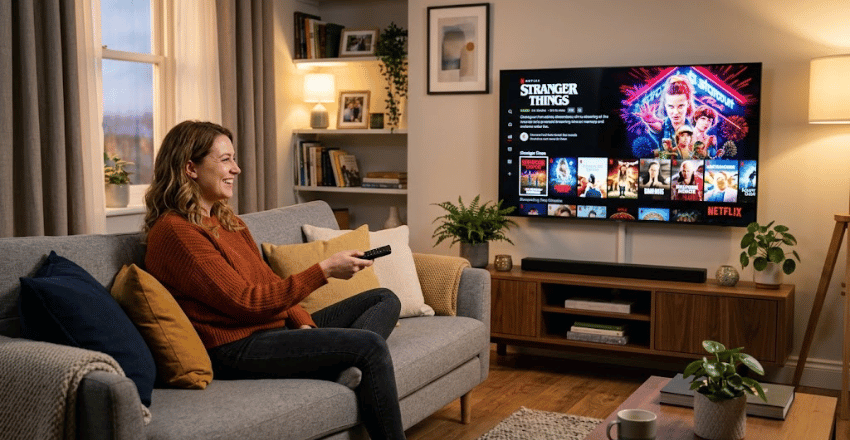
A TV box is a small computer designed primarily for television entertainment. It connects to an HDMI input and runs its own operating system. You then use the included remote to install or open streaming apps.
The device handles menus, apps, decoding, networking, and video output independently of your TV. Your TV mainly displays the picture and plays the supplied audio. This arrangement can make an older screen feel much newer without replacing the panel.
Most devices connect through home Wi-Fi, while some models also include Ethernet. Streaming subscriptions remain separate from the hardware purchase. Buying the device does not automatically include paid Netflix, Disney+, Max, or similar subscriptions.
Do You Need One If You Already Own a Smart TV?
A separate streaming device is unnecessary when your television already runs your preferred apps quickly. Newer smart TVs often include capable streaming platforms from Google, Roku, Amazon, Samsung, or LG. Keeping one remote can also make daily viewing simpler.
An external device becomes useful when built-in software feels slow or loses application support. It can also provide an interface you prefer across several televisions. PCWorld notes that separate streamers can offer faster operation and broader app choices than some built-in platforms.
Picture technology is a separate decision from streaming software. Techriyon’s OLED vs. QLED comparison explains how panel technologies affect brightness, contrast, and viewing conditions. A new streamer cannot change the physical capabilities of your display panel.
Seven Features to Check Before Buying
1. Certified Software and App Support
Certification should come before processor numbers or advertised resolution. Google states that certified Android TV OS hardware undergoes compatibility and security testing. Certified devices also receive Google Play Protect protections within Google’s ecosystem.
Some inexpensive products use the Android Open Source Project instead of licensed Android TV software. They can look similar while lacking official certification. That difference may affect streaming applications, security checks, updates, and DRM compatibility.
Check the manufacturer’s official specifications before purchasing unfamiliar hardware. Look for established platform support rather than a long list of vague features. Extremely cheap generic hardware deserves extra scrutiny.
2. 4K, HDR, and Audio Format Support
Choose 4K output when you own a 4K television and regularly watch compatible content. HDR formats can improve highlights, colors, and contrast on supported televisions. Dolby Vision support can matter for viewers with compatible screens and services.
Audio support also matters when you use a soundbar or home theater receiver. Dolby Atmos compatibility is common on several higher-quality streamers. Your complete equipment chain must support the format for the feature to work.
Do not pay extra for resolution claims your television cannot display. Some inexpensive devices advertise unusually high decoding numbers without providing equivalent streaming support. Certified application playback matters more than a large number on the packaging.
3. Storage and Memory
Storage determines how much room remains for applications, updates, games, and cached data. Small capacities can become restrictive after several large apps are installed. Thirty-two gigabytes offers noticeably more flexibility than basic eight-gigabyte hardware.
Memory affects how smoothly applications remain available during navigation and multitasking. More memory does not automatically make every streamer faster. Processor performance and software quality also influence responsiveness.
Google’s current TV Streamer lists 4GB of memory and 32GB of storage. Walmart’s 2026 onn. 4K Pro lists 3GB of RAM and 32GB of storage. Those capacities provide useful reference points for modern U.S. hardware.
4. Wi-Fi and Ethernet
Stable networking matters more than an impressive maximum internet speed. A weak wireless signal can create buffering even when your broadband plan is fast. Placement, interference, router distance, and walls can reduce Wi-Fi performance.
Ethernet provides a direct wired connection on models that include the port. It can be useful for fixed home-theater installations or rooms with unreliable wireless coverage. The Google TV Streamer includes gigabit Ethernet, while the onn. model also provides wired connectivity.
Techriyon’s powerline adapter guide covers another option for rooms with difficult Wi-Fi. Powerline can carry network traffic through suitable household electrical wiring. Direct Ethernet remains more predictable when installing a cable is practical.
5. Remote Control and Voice Features
The remote is one component you will use every day. Look for responsive navigation, useful volume controls, and an easy way to find misplaced hardware. Backlighting can also help in darker rooms.
Voice search can reduce the time spent typing titles with directional buttons. Google, Amazon, and other platforms increasingly connect voice features with recommendations and smart-home controls. Decide whether those integrations matter before paying extra for them.
Check whether the remote can control your television’s power and volume. HDMI-CEC or infrared support can reduce remote clutter. Compatibility varies between television brands and home-theater equipment.
6. Updates and Manufacturer Support
Streaming hardware depends heavily on software after the sale. Apps change, security requirements evolve, and streaming services update their compatibility rules. Long-term manufacturer support can therefore matter more than unusual hardware specifications.
Major platform vendors generally provide clearer documentation and update channels than anonymous manufacturers. NVIDIA, for example, still publishes specifications and software information for SHIELD TV Pro. The current model includes Android TV, Ethernet, USB ports, and expandable storage.
No manufacturer can guarantee every application forever. Still, buying supported hardware reduces unnecessary compatibility risk. Check recent update information before choosing an older premium model.
7. Price Versus the Features You Will Use
Prices vary substantially across U.S. streaming hardware. Walmart currently lists its 2026 onn. 4K Pro at $59.98. Google’s store currently lists the Google TV Streamer at $149.99.
NVIDIA recently raised the U.S. SHIELD TV Pro price to $299.99. That device targets users who value local media, USB expansion, AI upscaling, and advanced playback support. Casual streaming users may not benefit enough to justify that premium.
Set your requirements before comparing prices. Paying for unused gaming, storage, or smart-home features wastes money. Buying too little storage or connectivity can also lead to an early replacement.
Popular U.S. Options Compared
The TV box market ranges from inexpensive mainstream streamers to specialized enthusiast hardware. The three devices below illustrate different price and capability levels. Prices can change, so confirm them before buying.
| Device | Current Listed Price | Memory / Storage | Networking | Strongest Use Case |
|---|---|---|---|---|
| onn. 4K Pro 2026 | $59.98 | 3GB / 32GB | Wi-Fi 6, Ethernet | Value-focused U.S. streaming |
| Google TV Streamer 4K | $149.99 | 4GB / 32GB | Dual-band Wi-Fi, Gigabit Ethernet | Google ecosystem and smart homes |
| NVIDIA SHIELD TV Pro | $299.99 | 3GB / 16GB | Dual-band Wi-Fi, Gigabit Ethernet | Plex, local media, USB expansion |
The onn. model offers a practical combination of storage, Dolby support, and connectivity for its price. Google provides additional memory and deeper Matter and Thread smart-home integration. NVIDIA remains unusually capable for local media but now carries a substantial premium.
None of these choices fits every household. Basic streamers rarely need enthusiast-level local media features. Buyers with large Plex libraries or USB storage requirements may value capabilities casual viewers ignore.
Streaming Box vs. Streaming Stick
A box usually has more physical space for ports, storage, cooling, or wired networking. A stick usually hides behind the television and requires less shelf space. Both designs can deliver excellent streaming when their hardware and software meet your needs.
Sticks make sense for simple streaming, guest rooms, and travel. Boxes are more attractive when you want Ethernet, USB connectivity, larger storage, or stronger processing. The physical shape alone does not determine picture quality.
Compare actual specifications rather than assuming a larger product performs better. Some compact devices offer excellent 4K streaming and modern Wi-Fi. A larger enclosure mainly creates more room for additional hardware features.
Are Cheap Android Streaming Boxes Safe?
Uncertified Android-based devices require caution because not every product follows Google’s Android TV certification process. Google specifically warns that some products imitate Android TV while using unlicensed software. Such devices may lack recorded security and compatibility testing from Google.
That does not mean every inexpensive product is unsafe. Certification, manufacturer reputation, update history, and retailer support provide more useful signals than price alone. Check Play Protect certification before entering account credentials on unfamiliar hardware.
A legitimate streaming device is legal to own and use in the United States. Problems arise when hardware or services provide unauthorized copyrighted streams. Use legitimate applications and subscriptions rather than preloaded piracy services.
How to Choose the Right Model for Your Home
Start with the applications you use each week. Confirm that each application supports the platform and required video quality. Then match the device to your television, network, sound system, and available HDMI ports.
Next, decide whether you need Ethernet, extra storage, smart-home controls, or local media playback. Skip specialist features when basic streaming is your only goal. This approach prevents feature lists from pushing you toward unnecessary spending.
For broader device research, browse Techriyon’s Gadgets and Apps coverage. Comparing your whole setup can reveal whether the streamer is the real bottleneck. Sometimes the network or television creates the larger limitation.
Frequently Asked Questions
Is a TV box worth buying in 2026?
It can be worthwhile when your television feels slow or lacks the applications you want. External hardware can provide newer software, additional storage, or better networking. It is less useful when your existing smart-TV platform already performs well.
Can a streaming box make an old television smart?
Yes, provided the television has a compatible HDMI input. The external device supplies applications, networking, menus, and streaming functions. Your television still determines its maximum physical resolution and display quality.
Do you need monthly payments for the hardware?
The device itself normally requires only its purchase price. Paid streaming services still require their own subscriptions when applicable. Free applications and ad-supported channels can work without additional subscription charges.
How much storage should you get?
Eight gigabytes can work for light use, but available space shrinks after system files. Larger capacities provide more room for applications and updates. Thirty-two gigabytes is a useful target for users installing many services.
Is Ethernet better than Wi-Fi for streaming?
Ethernet can provide a more consistent connection when wireless coverage is weak. Good modern Wi-Fi can still handle 4K streaming without trouble. The better choice depends on your router, room layout, and interference.
Should you buy a box or a streaming stick?
Choose a stick for low cost, portability, and basic streaming. Choose a box when you need more ports, storage, or wired networking. Compare the actual specifications before making the final decision.
What to Do Next
List your must-have streaming services before shopping for hardware. Then check resolution, certification, storage, networking, and manufacturer support against that list. This process makes comparing devices much easier.
U.S. buyers seeking value can begin with certified mainstream hardware around the lower end of the market. More expensive products should solve a specific need, such as Plex or smart-home integration. Avoid paying for specifications you will never use.
Your television does not need the newest processor to deliver a better streaming experience. It needs a reliable device that supports your content and remains easy to use. Choose based on real viewing habits rather than packaging claims.