
Choosing an editing app is easy until your files, projects, and workflow start demanding different things. Some tools focus on fast plain-text changes, while others add extensions, Git support, collaboration, and AI. For US users in 2026, a text editor should match your operating system, workload, budget, and setup tolerance.
Short answer: Visual Studio Code fits most programmers because it is free, cross-platform, and widely supported. Choose Sublime Text when speed and large files matter more than extensions. Notepad++ suits quick Windows edits, while Zed, Neovim, and BBEdit serve narrower workflows.
Six popular options at a glance
| Text Editor Tools | Best for | Platforms | US price |
|---|---|---|---|
| Visual Studio Code | General coding and extensions | Windows, macOS, Linux | Free |
| Sublime Text | Speed and large files | Windows, macOS, Linux | $99 personal license |
| Notepad++ | Quick Windows edits | Windows | Free |
| Zed | Fast modern development and AI | Windows, macOS, Linux | Free; Pro $10/month |
| Neovim | Keyboard-first terminal work | Windows, macOS, Linux | Free |
| BBEdit | Mac writing, code, and text processing | macOS | Free mode; $59.99 license |
Pricing was checked against official product information on September 16, 2026. Paid plans and features can change.
TL;DR: Which tool should you install?
- Choose Visual Studio Code if you want one flexible tool for most programming work.
- Choose Sublime Text if launch speed and large-file performance matter most.
- Choose Notepad++ for lightweight Windows editing without extra complexity.
- Choose Zed if you want fast performance with modern collaboration and optional AI.
- Choose Neovim if you prefer terminal workflows and keyboard-driven control.
- Choose BBEdit if you use a Mac and work heavily with text, HTML, or structured files.
What does a plain-text editing tool actually do?
A plain-text tool lets you create or change files without adding document formatting. Unlike Microsoft Word, it does not store fonts, page layouts, or embedded design elements. That makes these apps useful for code, configuration files, Markdown, logs, CSV data, and quick notes. Programming-focused tools add features that make source code easier to manage.
Common additions include syntax highlighting, search, autocomplete, extensions, Git tools, and language support. Some newer products also integrate AI assistants directly into the editing workflow. Do not assume you need the most feature-heavy option available. A developer working across repositories has different needs from someone changing a configuration file. Your operating system also matters, as Techriyon explains in its guide to choosing a PC operating system.
How to choose a text editor for your workflow
Start by deciding what you will edit most often. Code projects benefit from language support, extensions, debugging connections, and version-control tools. Logs, notes, and configuration files usually benefit more from speed, search, and a simple interface. Next, check platform support before building your workflow around one product. Cross-platform software makes switching computers easier and helps teams standardize their setup.
This also matters for students comparing hardware through Techriyon’s 2026 student laptop guide. Finally, consider how much configuration you enjoy doing yourself. VS Code can grow through extensions, while Neovim can become deeply personalized through configuration. Notepad++ and Sublime Text can feel more direct when you mainly want to open a file and work.
1. Visual Studio Code: The practical choice for most programmers
Microsoft describes Visual Studio Code as a free, open-source code editor for Windows, macOS, and Linux. It supports extensions, debugging workflows, source control, and optional AI features. Its large ecosystem makes it a sensible starting point for students and working developers.
Pros
- Free for private and commercial use
- Available on Windows, macOS, and Linux
- Huge extension selection
- Built-in Git and debugging support
- Strong documentation and community support
Cons
- Extensions can increase memory use
- Large setups can become cluttered
- More features than simple editing requires
Our pick for most programmers is VS Code because it covers many workflows without an upfront cost. It also reduces the need to switch software when you change languages. Beginners can start with the defaults and add features later.
2. Sublime Text: Strong for speed and focused editing
Sublime Text favors a clean interface and responsive file handling. Its personal license currently costs $99 and includes three years of updates. The official store lets you evaluate it before requiring a license for continued use.
Pros
- Fast startup and responsive editing
- Windows, macOS, and Linux support
- Strong search and navigation features
- Clean interface with few distractions
Cons
- Costs more than strong free alternatives
- Smaller extension ecosystem than VS Code
- Advanced development workflows may need packages
Sublime makes sense when you value speed over an enormous plugin catalog. Developers also discuss keeping it for quick changes and large files. Recent community threads show that many programmers use different tools for different workloads.
3. Notepad++: A lightweight Windows favorite
Notepad++ is free software designed for Microsoft Windows. It supports programming and natural-language files while keeping its interface relatively lightweight. It remains useful for logs, configuration changes, scripts, and quick source-code work.
Pros
- Completely free
- Fast for everyday file editing
- Plugin support
- Portable versions available
- Familiar interface for Windows users
Cons
- Windows only
- Less suited to full project workflows
- Collaboration features are limited
Windows users should consider it when VS Code feels excessive for small jobs. It also pairs well with a larger development environment rather than replacing one. Techriyon’s Windows 11 Home and Pro comparison can help users planning a Windows-based setup.
4. Zed: A modern option built around speed
Zed has become a notable alternative for programmers who want a fast native application. Its Personal plan costs nothing, while Pro currently costs $10 per month. Paid features mainly expand hosted AI capabilities and edit predictions.
Pros
- Free core application
- Windows, macOS, and Linux availability
- Built-in collaboration features
- Optional AI integrations
- Fast, minimal interface
Cons
- Extension selection trails VS Code
- Some specialized workflows may lack tooling
- Hosted AI use can create extra costs
Zed is worth considering when VS Code feels heavier than you want. Recent developer discussions praise its responsiveness but also mention extension gaps. That trade-off matters more than any benchmark when a missing plugin affects daily work.
5. Neovim: Built for keyboard-first power users
Neovim is a Vim-based tool designed around extensibility and keyboard control. It includes a built-in language server client and supports Lua-based configuration. Its open-source license also makes it available at no cost.
Pros
- Free and open source
- Extremely customizable
- Excellent terminal workflow
- Strong keyboard-driven navigation
- Large plugin community
Cons
- Steep learning curve
- Configuration can consume time
- Modal editing feels unfamiliar to beginners
Pick Neovim because you want its workflow, not because other developers use it. The learning investment can pay off for terminal-heavy work. People wanting immediate graphical productivity will usually reach useful results faster elsewhere. You might also like Best Wireless Earbuds Under 200 Dollars.
6. BBEdit: A focused choice for Mac users
BBEdit 16 targets macOS users working with prose, source code, HTML, and structured data. Its full feature set has a 30-day evaluation, followed by a permanent free mode. A full individual license currently costs $59.99 in the United States.
Pros
- Designed specifically for macOS
- Permanent free mode
- Strong search and text-processing tools
- Native Apple Silicon support
Cons
- No Windows or Linux version
- Some advanced features require payment
- Less useful for cross-platform teams
BBEdit is especially practical for Mac users who manipulate text more often than they debug large applications. Writers, web developers, and data-focused users can benefit from its search tools. Cross-platform teams should instead consider software that avoids operating-system lock-in.
A faster way to make your choice
The best setup isn’t always a single application. Developers often keep a full coding environment alongside a lightweight tool for quick changes. Community discussions in 2026 show this mixed approach remains common among experienced users.
| Your main task | Start with |
|---|---|
| Learning programming | Visual Studio Code |
| Quick Windows changes | Notepad++ |
| Opening large files quickly | Sublime Text |
| Modern AI-assisted development | Zed |
| Terminal and SSH work | Neovim |
| Mac text and HTML work | BBEdit |
This task-first approach also prevents unnecessary spending. Start with a free option unless a paid feature solves a specific problem. Teams supporting several hardware types may also benefit from Techriyon’s guide to hardware-agnostic software solutions.
Code editor vs. IDE: What is the difference?
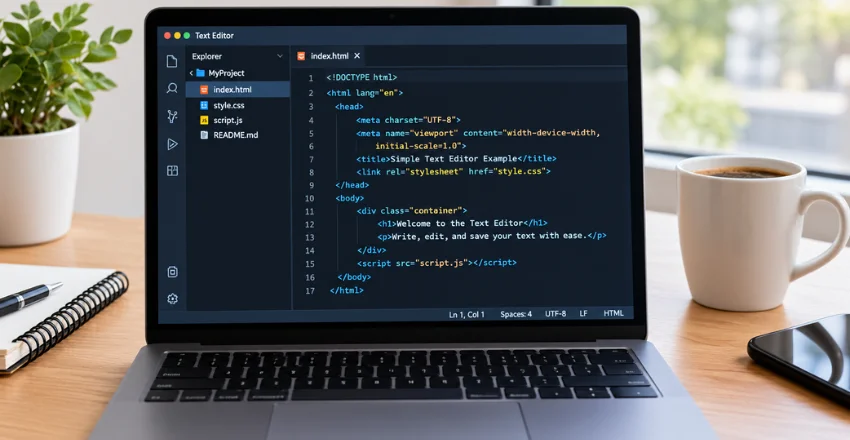
A code editor focuses on writing and changing source files with optional development features. An integrated development environment usually bundles deeper debugging, project management, build tools, and language-specific analysis. The line has blurred because modern editing apps can add IDE-like features through extensions.
VS Code is a good example of that overlap. Microsoft still describes it as a streamlined code editor rather than the full Visual Studio IDE. Your project complexity should decide whether lighter software is enough.
What about AI features in 2026?
AI support should be a workflow feature, not your only selection criterion. VS Code and Zed both provide ways to work with AI, but their ecosystems differ. Traditional options remain useful when privacy, simplicity, or predictable performance matters more. Check what data an AI feature sends before using it with confidential code.
Company policies may also restrict extensions, hosted models, or external services. A fast application with the wrong security policy can still be the wrong business choice.
The practical choice
Start with Visual Studio Code if you do not yet know which direction your work will take. Try Notepad++ or Sublime Text for faster single-file work, and consider Zed when modern collaboration appeals to you. Neovim and BBEdit make more sense when their specific workflows match how you already work.
Install one option and use it for a real project before spending hours customizing it. Pay attention to startup speed, search, shortcuts, extensions, and how often the software interrupts your flow. The right choice is the tool that helps you finish work with the least unnecessary friction.
Frequently asked questions
What is a text editor?
A text editor creates and changes plain-text files without rich document formatting. Programmers use these tools for source code, configuration files, scripts, Markdown, and logs. Writers also use them when they want clean text without page-layout controls.
What is the easiest option for beginners?
Visual Studio Code is a practical starting point for many programming beginners. Its default interface is approachable, and tutorials exist for most popular languages. You can add extensions gradually instead of configuring everything before writing code.
What is the best free option for Windows?
Notepad++ works well when you want fast, simple Windows editing. VS Code is better when you need project management, Git tools, extensions, or debugging support. Both cost nothing, so the right choice depends on task size.
Do I need a paid program?
Most users can start with free software and work comfortably for years. Paying makes sense when speed, specialized features, or a preferred workflow saves meaningful time. Sublime Text and BBEdit are stronger purchases when their specific advantages solve problems you encounter regularly.
Can one tool handle writing and programming?
Yes, but the experience depends on how much formatting you need. Plain-text tools work well for Markdown, notes, scripts, and code. A word processor is still better for documents that need page layouts, tracked formatting, or complex tables.