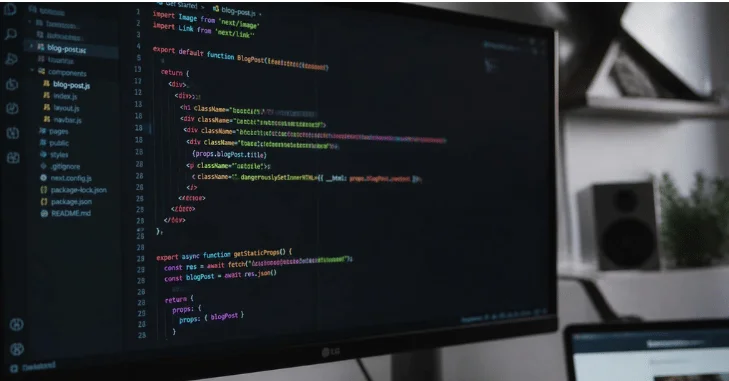
If you are asking what Is coding, the simplest answer is writing instructions that computers can follow. Those instructions make websites, apps, games, devices, and business software work. You write them using structured languages that computers can translate and execute. More from us: How to Make Twitter Account Private and Control Who Sees Your Posts.
| Quick fact | Simple explanation |
|---|---|
| Main purpose | Give instructions for completing a task. |
| Common languages | Python, JavaScript, Java, C#, C++, and others |
| Common uses | Websites, apps, games, automation, data tools, and devices |
| Beginner difficulty | Accessible with practice and basic problem-solving skills |
| Special hardware needed | Usually no; a normal modern computer is enough. |
| Good first step | Pick one goal, choose one language, and build a small project. |
Direct answer: Code is a set of written instructions that tells a computer what actions to perform. A programmer writes those instructions using a programming language with defined rules. Software then translates or interprets the instructions so the computer can produce the requested result.
Key Takeaways
| Question | Short answer |
|---|---|
| What does code do? | It tells computers how to process information and respond. |
| Do you need advanced math? | Not for most beginner projects or general web development. |
| Is programming the same thing? | The terms overlap, but programming usually covers a broader process. |
| Which language should beginners choose? | The best first language depends on what you want to build. |
| Can beginners start for free? | Yes. Free editors, tutorials, and language tools are widely available. |
What Is Coding in Simple Terms?
A computer does not understand a request the way another person does. It needs specific instructions written according to defined rules. Code provides those instructions in a form software and hardware can process.
Think of a program as a detailed recipe with no room for guessing. Each instruction tells the machine what to calculate, display, save, compare, or change. Clear instructions produce expected results, while mistakes can produce errors or unexpected behavior.
A simple program might tell a computer to display a message. Another could calculate a shopping total or check a password. Large applications use the same principle, but they combine thousands or millions of instructions.
How Does Computer Code Work?
Developers usually write source code in languages designed for people to read. Computers ultimately execute lower-level machine instructions. Compilers and interpreters help translate human-readable instructions into actions a processor can perform.
Consider a simple Python instruction:
print(“Hello, world!”)
This line asks Python to display text on the screen. The language interpreter reads the instruction and handles the required computer operations. More advanced programs build on the same input, processing, and output pattern.
Hardware still performs the physical work underneath the software. Processors execute instructions, memory holds active information, and storage keeps files. Techriyon’s Ethernet Cable guide explains how major computer components connect.
Code vs. Programming: Is There a Difference?
People often use both terms to describe the same activity. In technical discussions, writing code usually refers to creating instructions in a programming language. Programming can describe the larger process of planning, building, testing, debugging, and maintaining software.
The difference matters less when you are beginning. A beginner writing a small Python script is learning skills used throughout software development. Larger professional projects simply add planning, collaboration, testing, security, and maintenance.
| Activity | Writing code | Programming |
|---|---|---|
| Writing instructions | Yes. | Yes. |
| Planning software behavior | Sometimes | Usually |
| Testing and debugging | Yes. | Yes. |
| Designing larger systems | Limited | Common |
| Maintaining finished software | Sometimes | Common |
What Can You Build With Code?
Software instructions appear almost everywhere people use digital technology. They control website buttons, banking systems, mobile apps, streaming services, games, vehicles, and smart devices. Business teams also use scripts to automate repetitive tasks and process information.
Websites provide one of the easiest examples to understand. HTML structures a page, CSS controls its appearance, and JavaScript adds interactive behavior.
Programs also operate outside traditional computers. Cars, appliances, routers, cameras, and industrial equipment can contain software controlling specific functions. The scale changes, but the underlying idea remains a sequence of instructions.
Common Programming Languages and Their Uses
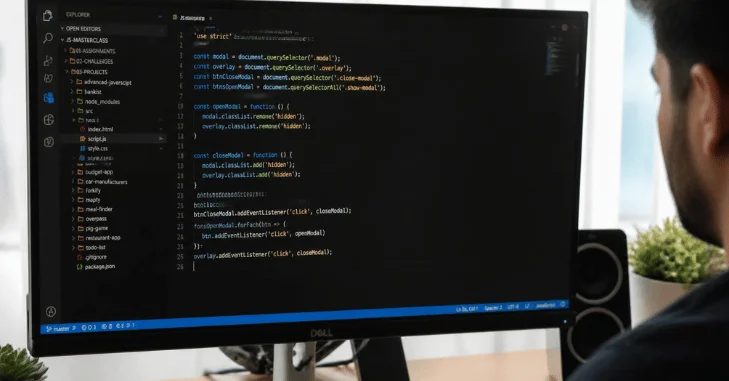
There is no single language for every project. Different languages were created for different goals, environments, and development styles. Beginners should choose based on what they want to create rather than popularity alone.
| Language or technology | Common beginner use | Often used for |
|---|---|---|
| Python | Learning logic and syntax | Automation, data work, web services |
| JavaScript | Interactive web pages | Websites, servers, web applications |
| Java | Structured application development | Business software and Android-related development |
| C# | Object-oriented development | Business applications and games |
| C and C++ | Lower-level programming | Systems, engines, embedded software |
| SQL | Working with databases | Reading and changing stored data |
| HTML and CSS | Building page structure and design | Websites and web interfaces |
Python attracts many beginners because its syntax is comparatively readable. JavaScript makes sense when your main goal involves interactive websites. Neither choice locks you into one path forever.
Your operating system can also affect which development tools feel easiest to use. Windows, macOS, and Linux all support popular programming environments.
Basic Concepts Every Beginner Encounters
Most languages share several ideas even when their syntax looks different. Variables store information, conditions choose between actions, and loops repeat instructions. Functions package reusable actions so developers do not rewrite the same logic repeatedly.
Data also needs structure. Lists, objects, arrays, and databases organize information so programs can work with it efficiently. Beginners usually meet these ideas gradually through small exercises.
Debugging is another core skill. It means finding why a program behaves differently from your expectations. Learning to read errors and test assumptions often matters more than memorizing commands.
A Simple Example of Problem-Solving With Code
Imagine you want a program to decide whether a customer receives free shipping. The program needs an order total as input. It can compare that total with a required minimum and return an answer. More from us: IYKYK.
The logic could be written in plain English first. If the total meets the threshold, offer free shipping. Otherwise, show the normal shipping charge.
That small example introduces inputs, variables, comparison operators, conditions, and outputs. A larger online store repeats the same building blocks across many features. Complex software usually grows from combinations of simple decisions.
Is Learning to Write Code Hard?
The first few weeks can feel unfamiliar because computers require precise instructions. Syntax errors, unexpected results, and new terminology are normal parts of learning. Progress becomes easier when you practice one concept at a time.
Advanced mathematics is not required for most beginner exercises. Basic arithmetic and logical thinking cover many early projects. Specialized areas such as graphics, machine learning, or scientific computing may require more mathematics later.
You also do not need an expensive workstation for ordinary beginner projects. A standard laptop can handle web development, Python practice, and many small applications. More demanding work may need stronger hardware as projects grow.
How Beginners Can Start Learning
Start by deciding what you want to make. A person interested in websites has different needs from someone interested in automation or games. A clear goal makes the first language easier to choose.
| Goal | Useful starting point | First project idea |
|---|---|---|
| Build websites. | HTML, CSS, then JavaScript | Personal profile page |
| Automate simple tasks. | Python | File organizer |
| Work with data. | Python and SQL | Expense tracker |
| Create games | C# or beginner game tools | Simple score-based game |
| Understand systems | C or Python | Command-line utility |
Next, install a code editor and follow one structured beginner course. Write the examples yourself instead of only watching videos. Change small parts of each example to see how the result changes.
Then build something small without copying an entire tutorial. A calculator, quiz, checklist, or personal webpage is enough. Finishing small projects teaches problem-solving better than collecting unfinished courses.
Software can also run across many different hardware environments. That flexibility becomes important as projects move between computers, servers, and cloud systems. Techriyon’s hardware-agnostic software explainer provides a useful next step on that topic.
How AI Tools Fit Into Programming in 2026
AI assistants can suggest functions, explain errors, generate examples, and help developers explore unfamiliar syntax. They can reduce time spent on repetitive tasks. Their output still needs testing because generated instructions can contain mistakes or unsuitable assumptions.
Beginners gain more value when they understand the code an assistant produces. Ask why each line exists, and test changes yourself. Treat generated code as something to review rather than an answer you automatically trust.
Core skills remain useful because software still needs clear requirements and careful validation. Developers must decide what a system should do before judging whether an answer is correct. Understanding logic also makes debugging AI-generated suggestions much easier.
Frequently Asked Questions
What is coding used for?
It is used to create instructions for computers, devices, websites, apps, games, and automated systems. Businesses also use programs to process information and reduce repetitive work. Almost every digital service depends on software instructions somewhere in its operation.
Do I need a computer science degree to learn?
No degree is required to learn the fundamentals or build personal projects. Free courses, documentation, and development tools can teach the basic concepts. Formal education can still be useful for deeper theory and certain career paths.
Which programming language is easiest for beginners?
Python is often approachable because its syntax is relatively readable. JavaScript is another practical option for people interested in websites. Your preferred first language should match the projects you want to build.
How long does it take to learn the basics?
There is no universal timeline because goals and practice schedules vary. Consistent practice usually matters more than rushing through many tutorials. Focus on becoming comfortable with variables, conditions, loops, functions, and debugging.
Can I learn without being good at math?
Yes, many beginner and web projects require little advanced mathematics. Logical thinking and careful problem-solving matter more during the early stages. Mathematics becomes more important in specialized fields such as graphics or data science.
Is learning programming still useful when AI can generate code?
Yes, because generated software still needs human direction, testing, and review. Understanding fundamentals helps you identify incorrect assumptions and unsafe behavior. It also lets you describe problems more clearly to automated tools.
Where to Go Next
Start with one language and one small project rather than trying to learn everything. Build something you can finish, test, and improve within a manageable scope. Each completed project will expose the next concept you need to learn.
Techriyon covers software, hardware, web technologies, and related computing topics for readers building stronger technical knowledge. Use those guides to connect programming concepts with the systems that run them. The best next step is simple: choose a project and write your first few instructions.