An 85-inch TV can turn a large living room or media room into a much more immersive viewing space. The challenge is choosing a screen that suits your seating distance, lighting, gaming needs, and budget instead of buying based on size alone. The 74.1-by-41.7-inch dimensions describe the screen area rather than the full dimensions of every model. Bezels, feet, speakers, and stands can change the final measurements.
| 85-inch TV | What to know |
| Screen diagonal | 85 inches |
| Approximate screen width | 74.1 inches |
| Approximate screen height | 41.7 inches |
| Useful viewing range | About 8.5 to 11.3 feet |
| Resolution to target | 4K |
| Strong all-around technology | Mini-LED/QLED |
| OLED alternative | Usually 83 inches |
| Best suited for | Large living rooms, media rooms, sports, and gaming |
How Big Is an 85-inch TV?
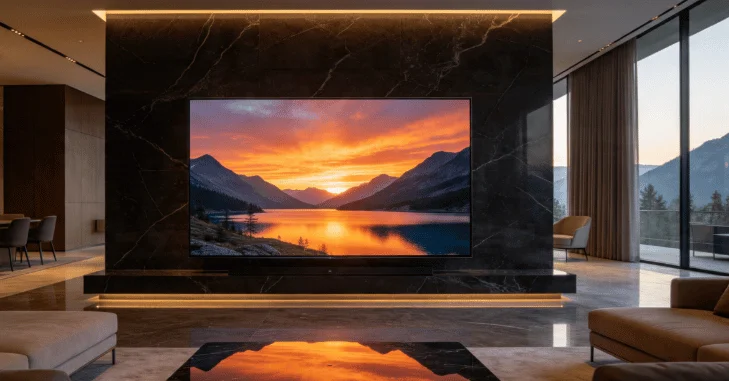
The diagonal measurement can hide how much wall space a large screen actually needs. A standard 16:9 model has a visible screen area of about 74.1 inches wide and 41.7 inches tall. Before ordering, mark that rectangle on your wall with painter’s tape. Then check the manufacturer’s full dimensions, including the stand if you don’t plan to wall-mount the TV.
You should also measure your doorway, stairs, elevator, and delivery route. The shipping box will be larger than the screen itself. Going from a 75-inch TV to an 85-inch model is more significant than the 10-inch difference in diagonal size suggests. An 85-inch 16:9 display provides roughly 28% more screen area than a 75-inch model. That extra area can be worthwhile when you’re sitting about 10 feet away. At a shorter viewing distance, however, it may feel excessive for casual viewing.
The Best Models to Consider in 2026
There isn’t one winner for every room. Current choices fall into several categories, including budget models, gaming-focused sets, balanced all-around TVs, and brighter screens for well-lit rooms.
| Model | Display technology | Gaming/motion | Platform | Price snapshot | Best fit | Main trade-off |
| Hisense QD7QF | Mini-LED/QLED | Up to 144 Hz gaming | Fire TV | $899.99 | Budget buyers | Fewer premium features |
| Hisense U75QG | Mini-LED/QLED | Up to 165 Hz | Google TV | $1,399.99 | Gaming value | Costs more than entry-level models |
| TCL QM7K | QD-Mini LED/QLED | 144 Hz native | Google TV | Around $1,500 in recent U.S. coverage | Most buyers | Premium competitors get brighter. |
| Hisense U8QG | Mini-LED/QLED | Up to 165 Hz | Google TV | $1,699.99 | Bright rooms | Higher price |
Hisense listed the QD7QF, U75QG, and U8QG at those promotional prices when checked on August 19, 2026. Prices can change without notice. Hisense lists up to 144 Hz gaming capability for the QD7QF and up to 165 Hz capability for the U75QG and U8QG.
The TCL QM7K is a particularly balanced option. It combines QD-Mini LED lighting, a 144 Hz native panel, Google TV, and modern HDR support. Business Insider currently recommends it as its choice for most buyers in this size class.
Verdict: Start with the TCL QM7K if you want a balanced, all-around option. Gaming-focused buyers should compare it closely with the Hisense U75QG, especially while Hisense’s current discount remains available.
If you need to stay below $1,000, the QD7QF offers a much cheaper route into Mini-LED technology. For a bright family room, the U8QG adds stronger brightness hardware and anti-reflection technology.
Mini-LED, QLED, or OLED?
These names describe different parts of display technology. QLED uses quantum dots with an LCD panel. Mini-LED refers to a more precise backlighting system that can improve local dimming and brightness. OLED works differently because its pixels create their own light. This allows OLED TVs to produce deep black levels and strong viewing angles without using a separate backlight.
There’s one size detail that buyers often miss. Many current buying guides group 83-inch OLED models with 85-inch TVs because premium OLED product lines commonly offer 83-inch models instead. RTINGS and Tom’s Guide both include 83-inch OLEDs in their current large-screen recommendations. Choose Mini-LED when brightness, sports, gaming, or daytime viewing matters most. Consider an 83-inch OLED when dark-room movie performance and black levels are your priorities.
Techriyon’s existing OLED vs. QLED comparison explains the main differences between these technologies in more detail.
How Far Should You Sit?

There isn’t one perfect viewing distance because movie watching and everyday TV viewing can call for different setups. TCL’s cinema-oriented guidance places an 85-inch screen at about 8.5 feet. RTINGS’ mixed-use formula works out to roughly 11.3 feet for the same diagonal size. A practical target for many rooms is around 9 to 11 feet.
Sit closer if you want a theater-like image that fills more of your field of vision. Move farther back if you watch a lot of news, casual programming, or content made from lower-quality source material.
What Features Matter Before You Buy?
Screen size should be only the first filter. A large display can make weaknesses in contrast, motion handling, and source quality easier to notice.
For most buyers, check these features before comparing prices:
- 4K resolution: This is the sensible baseline for a screen of this size.
- Local dimming or Mini-LED: These features can improve contrast on LCD-based models.
- 120 Hz or faster refresh rate: This is worth having for sports and modern gaming.
- VRR and ALLM: These features are helpful when connecting compatible gaming hardware.
- HDMI 2.1 connectivity: Check how many full-bandwidth inputs your devices require.
- Reflection control: This matters when windows or strong lamps face the screen.
- eARC: This makes connecting a compatible soundbar or receiver easier.
- Stand and VESA specifications: Verify these details for the exact model before installation.
Console owners can also review Techriyon’s Nintendo Switch and Switch Lite guide when planning a gaming setup.
If the display will also serve as a large PC or browser screen, Techriyon’s wireless keyboard and mouse guide can help you create a couch-based setup.
Is a 75- or 85-Inch TV the Better Choice?
Choose a 75-inch TV when your seating is closer, wall space is limited, or choosing the smaller size lets you move up to a better panel. Choose an 85-inch TV when you sit farther away and want movies or sports to feel more immersive. Don’t sacrifice picture quality purely for a larger diagonal measurement.
A well-performing 75-inch Mini-LED TV can be a smarter purchase than a weak entry-level 85-inch model at the same price. The reverse can also be true when current discounts narrow the price gap. Compare the exact models rather than assuming that the smaller TV always offers better value.
Installation Matters More at This Size

Wall mounting is possible, but large TVs require more planning than smaller sets. Check the exact model’s weight and VESA pattern before buying a mount. The bracket must support the TV’s weight and match its VESA mounting pattern. Wall construction and fastener requirements matter as well.
If you’re unsure about the wall structure, professional installation is the safer option. Large panels are difficult to lift and can be damaged easily if handled incorrectly. For a stand-mounted setup, verify the furniture width and the spacing between the TV’s feet. Leave enough room for a soundbar without allowing it to cover the bottom of the screen.
Conclusion
An 85-inch TV can be an excellent choice for a large living room or dedicated media space, but the biggest screen is not automatically the best buy. For most households, a 4K Mini-LED model such as the TCL QM7K offers a strong balance of picture quality, brightness, gaming features, and price.
The Hisense U75QG is worth considering for gaming, the QD7QF is a practical lower-cost option, and an 83-inch OLED remains attractive for dark-room movie viewing. Before buying, measure your wall and seating distance, check the TV’s full dimensions and weight, confirm the stand or VESA requirements, and compare current prices and warranty coverage.
The Bottom Line
For most buyers, an 85-inch-class 4K Mini-LED TV provides a strong mix of screen size, brightness, gaming performance, and price. The TCL QM7K is the balanced starting point, while the Hisense U75QG is compelling for gaming at its current price. The Hisense QD7QF makes sense for buyers trying to stay below $1,000, while the U8QG is better suited to brighter rooms. Before ordering, measure your wall, seating distance, furniture, and delivery route. Then compare the live price and warranty terms for your final two choices.
Frequently Asked Questions
A useful range is about 8.5 to 11.3 feet. Around 8.5 feet produces a more cinematic field of view, while roughly 11 feet is better suited to mixed everyday viewing.
Not necessarily. If your main seating position is around 9 to 11 feet away and the wall has enough width, the size can work well. Measure the room before buying.
Yes. Use a mount rated for the exact model’s weight and compatible with its VESA pattern. Check the wall structure and the manufacturer’s installation instructions before mounting the TV.
Yes. Current large-screen buying guides commonly include 83-inch OLED models alongside 85-inch LCD-based TVs. OLED is especially attractive for dark-room movie viewing and rooms with wide seating arrangements.
That can be the smarter choice when your budget is fixed. Compare panel technology, local dimming, refresh rate, brightness, and connectivity before paying solely for a larger screen.