
A broken screen can turn a normal drop into a safety, data, and repair problem within seconds. Before you keep tapping the damaged glass, check the phone for sharp edges, unusual heat, swelling, display problems, and touch-response issues. Also worth reading: Car Tablet.
The right next step depends on what failed. A surface crack with normal touch response is different from black patches, ghost touches, a bent frame, or a lifting back panel.
| What you see | What it may indicate | Best next step |
|---|---|---|
| Cracked glass with a normal picture and touch response | Damage may be limited to the outer glass | Back up your data and arrange an inspection |
| Lines, black spots, flickering, or colored patches | The display panel may be damaged | Limit use and get a repair quote |
| Touch fails, or inputs happen by themselves | Touch input is no longer reliable | Back up your data using another supported method |
| The phone responds, but the display stays black | The device may still be running despite display failure | Try an approved backup or external-control option |
| Heat, swelling, lifting, or frame separation | There may be damage beyond the display | Stop using the device and seek professional service |
Apple specifically advises users not to use an iPhone with cracked glass because it can cause injury. It also advises users to discontinue use if device or battery damage is suspected.
Short answer: First, check for sharp glass, unusual heat, swelling, or a separating frame. If the device appears stable, back up your data as soon as possible. Avoid moisture and extra pressure, document the damage, and compare a proper repair quote with the phone’s value and condition before choosing between repair and replacement.
Key Takeaways
- Stop using a device that is hot, swollen, separating, or unsafe to handle.
- Back up important files before repair whenever the phone still allows access.
- A black or unresponsive display does not automatically mean your stored data is gone.
- Temporary covering can help contain stable cracked glass, but it does not repair the device.
- Repair prices depend heavily on the model, extent of damage, parts, location, and protection plan.
- An older phone with several failing parts may not be worth the cost of an expensive repair.
Broken Screen: What to Do in the First Five Minutes
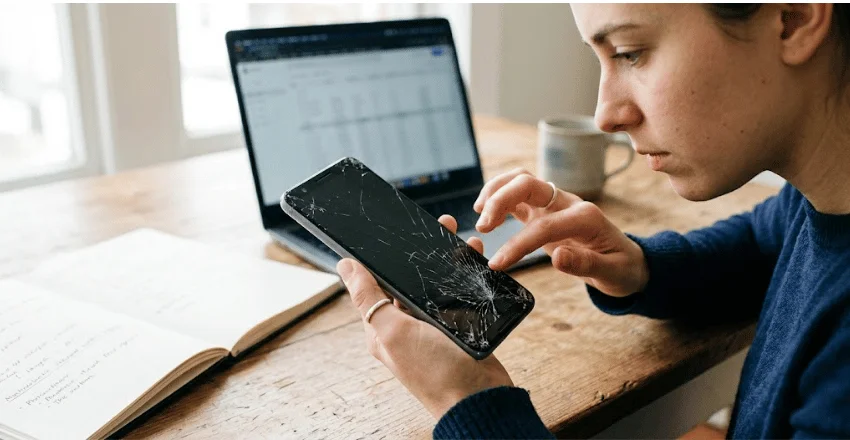
What you do immediately after the drop can protect both your data and the device.
- Inspect the phone without pressing the damaged area. Look for loose glass, frame damage, unusual heat, swelling, or separation between the phone’s body and back panel.
- Stop if the device looks unsafe. Don’t continue testing a phone that is hot, swollen, badly bent, or coming apart. Manufacturer safety guidance treats suspected battery or device damage seriously.
- Back up important data. If the touchscreen still works, start with photos, contacts, messages, documents, and authentication information you may need later.
- Keep the phone away from water and pressure. Don’t put a damaged device in a tight pocket or bag where additional pressure could worsen the damage.
- Document the condition. Take photos with another device and note whether the touchscreen, cameras, charging port, speakers, and buttons still work.
- Check repair and protection-plan options. Manufacturers such as Apple, Samsung, and Google provide model-specific repair options rather than a single universal price.
If you’re comparing phones while deciding what to do next, Techriyon’s Gadgets and Apps section collects its current device guides.
Work Out What Is Damaged
A crack does not tell you the whole story. Modern phones combine protective glass, touch-input hardware, a display panel, adhesives, and a supporting frame.
If the image looks normal and every part of the touchscreen responds correctly, the visible damage may be limited. You still need an inspection because hidden damage cannot always be identified by appearance alone.
Black patches, colored lines, flickering, spreading dark areas, or missing sections of the image can point to deeper display damage. Samsung’s troubleshooting guidance lists cracks, chips, ink-like spots, and bleeding pixels among common signs of physical display damage.
Touch failure creates a separate problem. The picture may still appear normally even though taps and swipes no longer register correctly.
A bent frame or lifting back panel requires greater caution. It may indicate that the impact affected more than the front display assembly.
For an example of how display specifications differ between phones, Techriyon’s Nokia G310 5G guide covers a budget handset with an LCD panel.
How to Back Up Data When Touch Stops Working
Start with the phone manufacturer’s supported recovery options. The available method depends on the brand, model, device settings, and how much of the phone still works.
Samsung currently documents several options for damaged Galaxy devices. Smart Switch can create a computer backup when the phone can authorize the connection. Samsung also describes using a USB mouse with a compatible adapter when touch input is unavailable.
Some Samsung devices can also be controlled through an external display and USB accessories when the hardware supports that setup. This can be useful when the phone itself works but its built-in display cannot be used normally.
Google recommends backing up Pixel data before a repair. Supported Pixel models can use Repair Mode, which is designed to prepare the device for service while limiting access to personal data.
Don’t assume that a computer can always retrieve files through USB. Locked phones may require approval on the device before a computer can access stored files.
For tablet owners, the same backup-first principle applies. Techriyon’s iPad 10th Generation overview provides additional tablet hardware context.
Can Tape or a Screen Protector Be Used Temporarily?
A screen protector or a smooth, temporary covering may help contain the stable cracked glass during transport. It should never be treated as a permanent or structural repair.
Don’t use temporary covering as a reason to keep operating a severely damaged device. Apple, for example, advises iPhone owners not to use a device with cracked glass because of the risk of injury.
Avoid internet fixes involving glue, polish, oils, powders, or similar substances. They do not restore a damaged display panel or touch layer. Residue can also make later inspection and repair more difficult.
If the damage is minor enough for safe transport, place the device in a protective case or sleeve. Then arrange a proper assessment.
How Much Does Phone Screen Repair Cost in 2026?
There is no meaningful universal repair price. The phone model, panel type, extent of damage, labor rates, parts, region, and protection coverage can all affect the final cost.
As a broad U.S. consumer benchmark, HomeAdvisor’s June 2026 guide estimates the typical cost of a phone display repair at $70 to $400, with an average of about $165. That range should not be treated as a quote for a specific model or country.
Official pricing can vary considerably. Samsung’s current support tools ask customers to select a model to see the recommended replacement or repair price. Apple also provides service pricing based on the device and its coverage status.
Before approving a repair, ask what the quote includes:
- Replacement parts and labor
- Diagnostic or inspection fees
- Taxes and shipping
- Warranty coverage for the completed repair
- Any additional cost if frame or internal damage is discovered
Also check your protection plan before paying out of pocket. Apple’s standard warranty does not cover accidental damage, although separate coverage may change what you pay.
Repair or Replace? Use This Decision Check
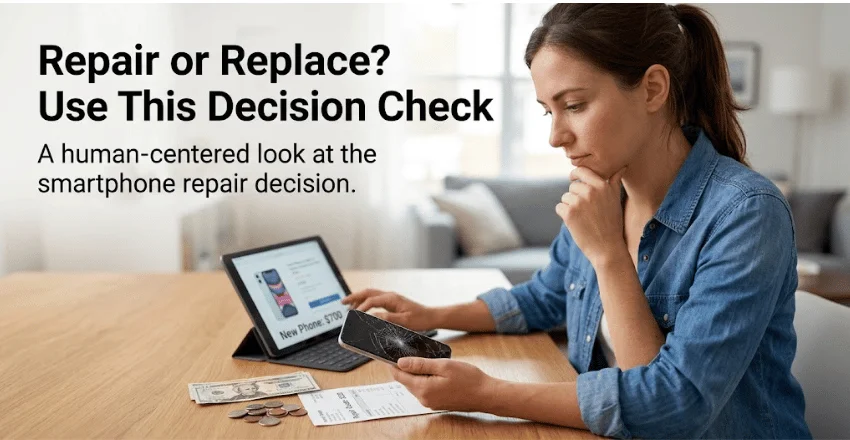
Price alone should not determine the outcome. Compare the repair cost with the condition and remaining useful life of the entire device.
| Repair is more attractive when… | Replacement is more attractive when… |
| Damage appears to be isolated to the display | The frame, battery, cameras, or charging system also have problems |
| The phone still meets your needs | The device already feels slow or unreliable |
| The repair quote is modest compared with replacement cost | The repair approaches the cost of a suitable replacement |
| The phone is still receiving useful software support | The device is nearing the end of its useful support period |
| Battery health is still acceptable | The battery will also need replacement soon |
Consider a simple hypothetical example. A healthy phone that would cost about $700 to replace may be worth repairing if the display repair costs $180.
Change the numbers, and the answer can be different. An aging device worth around $250, with a $220 repair bill and a weak battery, leaves little financial room for another failure.
Those figures are examples, not market valuations. The useful calculation is the same: repair cost plus other near-term expenses versus the cost of a suitable replacement.
If you’re considering another handheld device instead, Techriyon also covers hardware differences in its Nintendo Switch and Switch Lite guide.
DIY Screen Replacement or Professional Repair?
DIY repair can save labor costs, but only if you understand the device and accept the risks. Modern phones often use strong adhesives, delicate flex cables, tightly packed components, and batteries positioned close to the work area.
Stop a home repair if the battery appears damaged. Apple says lithium-ion battery service requires care and warns that improper work can lead to overheating, fire, or injury.
Professional repair usually makes more sense when:
- You have no experience opening or repairing phones.
- The frame is bent or separated.
- The device has additional internal damage.
- Important data has not been backed up.
- The repair requires work near a damaged battery.
- You want documentation from the manufacturer or an authorized service provider.
Ask any independent repair shop which replacement part it will install, what warranty it provides, and what happens if the technician discovers additional damage.
Protect the Phone After Repair
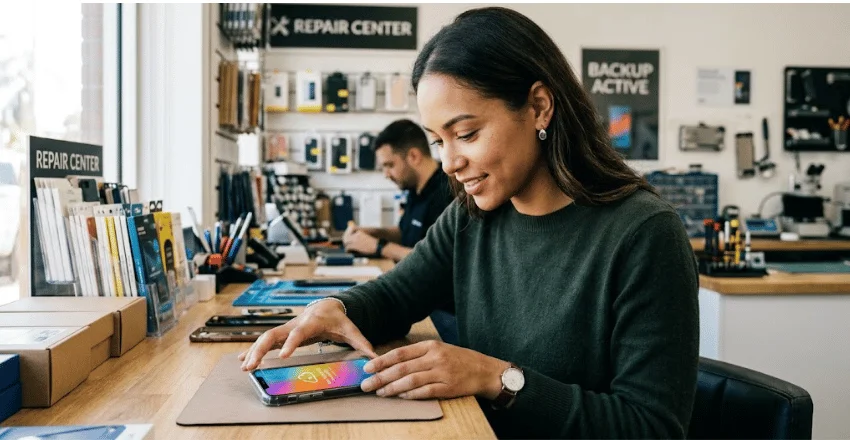
Once the device is repaired, prevention is cheaper than repeating the repair process.
Use a case with raised edges around the screen. Add a quality screen protector if it is compatible with the model. Keep the phone in a separate pocket from hard objects that could press against the glass.
A secure grip matters too. Large phones are easier to drop when used with one hand, especially while walking or carrying other objects.
Most importantly, keep automatic backups active. A future drop becomes far less stressful when your photos, contacts, and important files already exist somewhere else.
Your Next Step
Start with safety, then protect your data. Once you’ve handled both, get a model-specific repair quote and compare it to the device’s condition and value.
Don’t let a crack that appears cosmetic push you into a rushed repair or unnecessary replacement. A quick diagnosis and backup check can make the decision much clearer.
For more phone, tablet, accessory, and device coverage, browse Techriyon’s Gadgets and Apps guides.
Broken Screen FAQ
Yes. Continued pressure, another impact, or loose glass can worsen existing damage or make it more difficult to manage. If the touch response, image quality, temperature, or physical condition changes, stop treating the issue as purely cosmetic.
Not necessarily. A failed display does not prove that the phone’s storage has failed. Backup options depend on whether the phone still powers on, remains unlocked, or supports another control method. Samsung, for example, documents computer backup and USB accessory options for some damaged Galaxy phones.
A screen protector may help contain minor, stable cracks during transport, but it is not a repair. Don’t keep using a device that has sharp glass, unusual heat, swelling, severe separation, or other safety concerns.
It depends on the manufacturer, country, applicable consumer law, and protection plan. Apple states that its standard iPhone warranty does not cover accidental damage. Check your exact coverage before booking a repair.
Sometimes. Compare the repair quote with the cost of a suitable replacement and consider the condition of the battery, frame, charging system, cameras, and remaining software support.